Skip to content

CyberGuard Device Inventory Manager

An inventory of every company device, beyond Microsoft Intune.

Start from the devices Intune already manages and add what Intune doesn't know: hardware, updates, warranties, leases, people and network. All in one portal, always up to date.

The solution

CyberGuard Device Inventory Manager

Microsoft Intune knows which devices it manages, but not when the warranty expires, which lease contract a laptop belongs to, who holds it or how many hours a paid program is actually used. That information ends up in separate spreadsheets that have to be reconciled by hand.

CyberGuard Device Inventory Manager connects to your Microsoft tenant, syncs your Intune devices and enriches them with details collected from Windows PCs and Macs: hardware, firmware, updates, drivers, network adapters and software usage. Alongside them you get warranties, leases, fixed assets, employees, non-hardware inventory and the devices Intune can't see.

The result is a single inventory, available to the whole IT team with the right permissions, that answers everyday questions: what needs updating, what is expiring, what to return at the end of a lease and who each device is assigned to.

Every device, in every detail

The device record brings together what Intune says and what Intune doesn't collect: hardware, firmware, updates, security, warranty and history, with fields the IT team can complete.

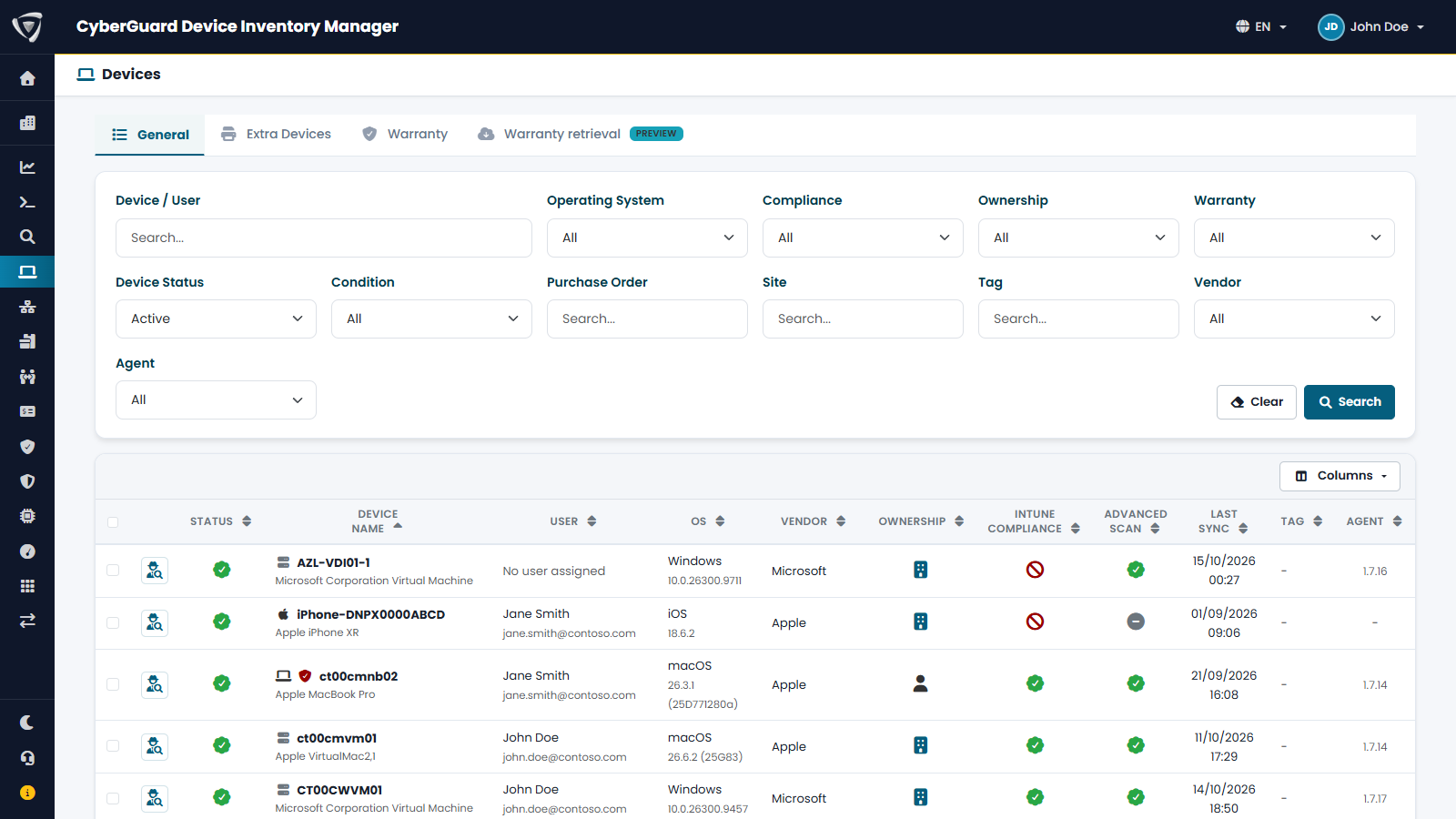
All Windows, macOS, iOS and Android devices in one list, with filters, search by name, serial number or user email, and selectable columns.

  • Search by serial number and user email
  • Filters by operating system, status and compliance
  • Export the filtered list
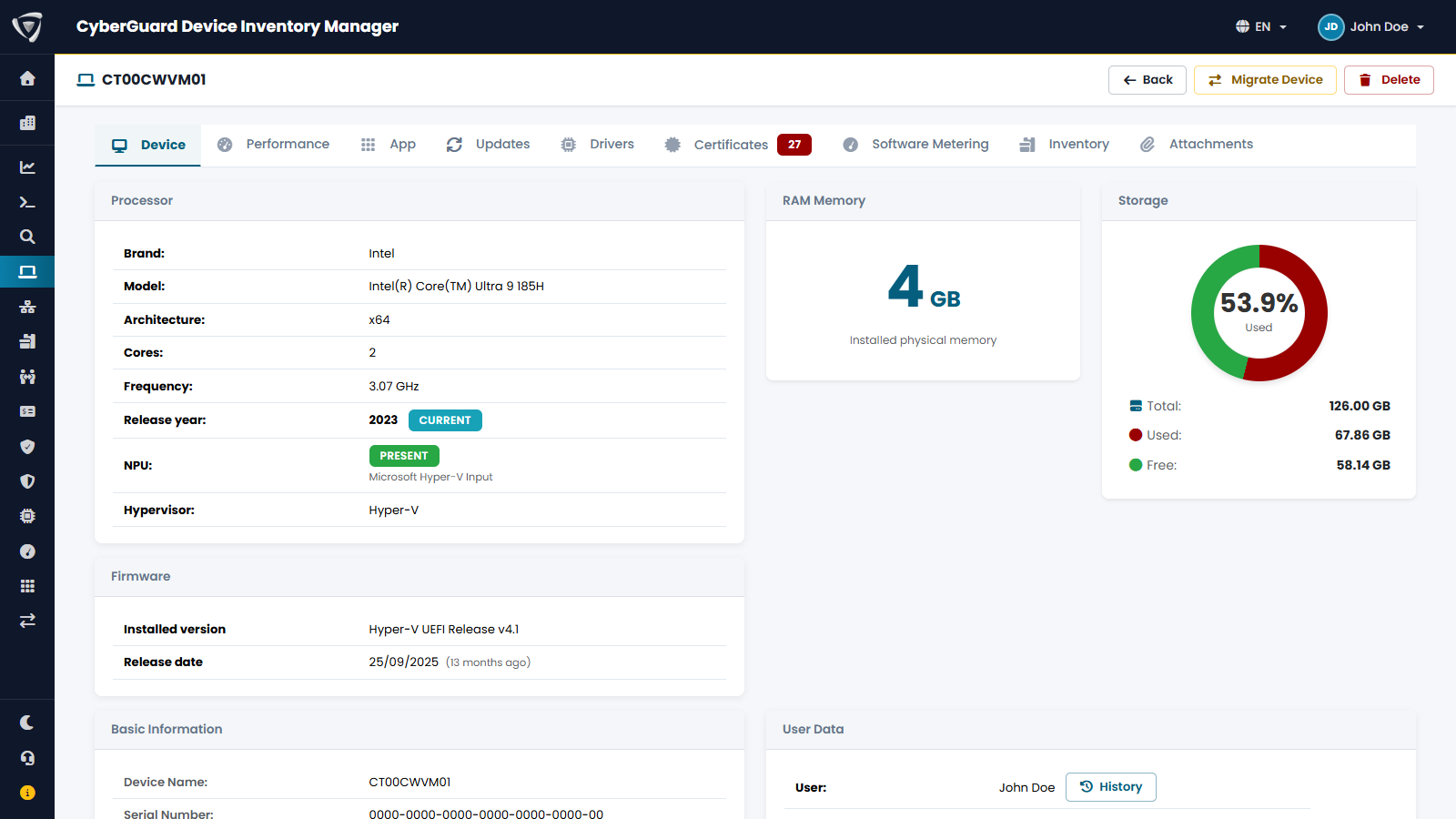
Processor with release year, memory, disk, NPU, installed firmware with its date, and whether the BIOS is up to date or has known vulnerabilities (CVEs).

  • Processor release year and NPU presence
  • Firmware version and date
  • BIOS up to date or with known CVEs, clearly shown

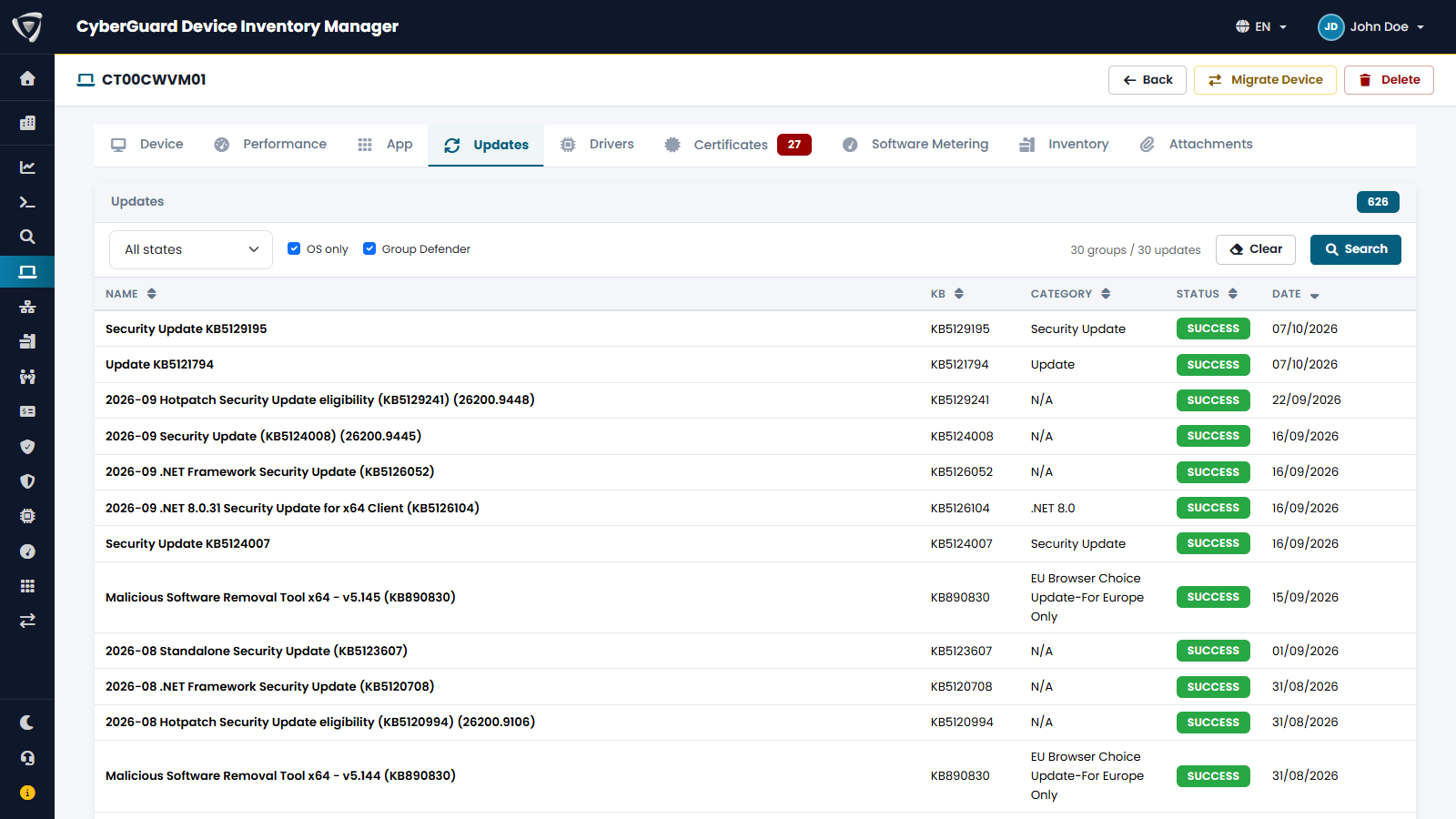
For each device: applications, Windows updates installed or failed, drivers with their versions, and expired or expiring certificates.

  • Installed and failed updates
  • Drivers with version and signature
  • Expired and expiring certificates

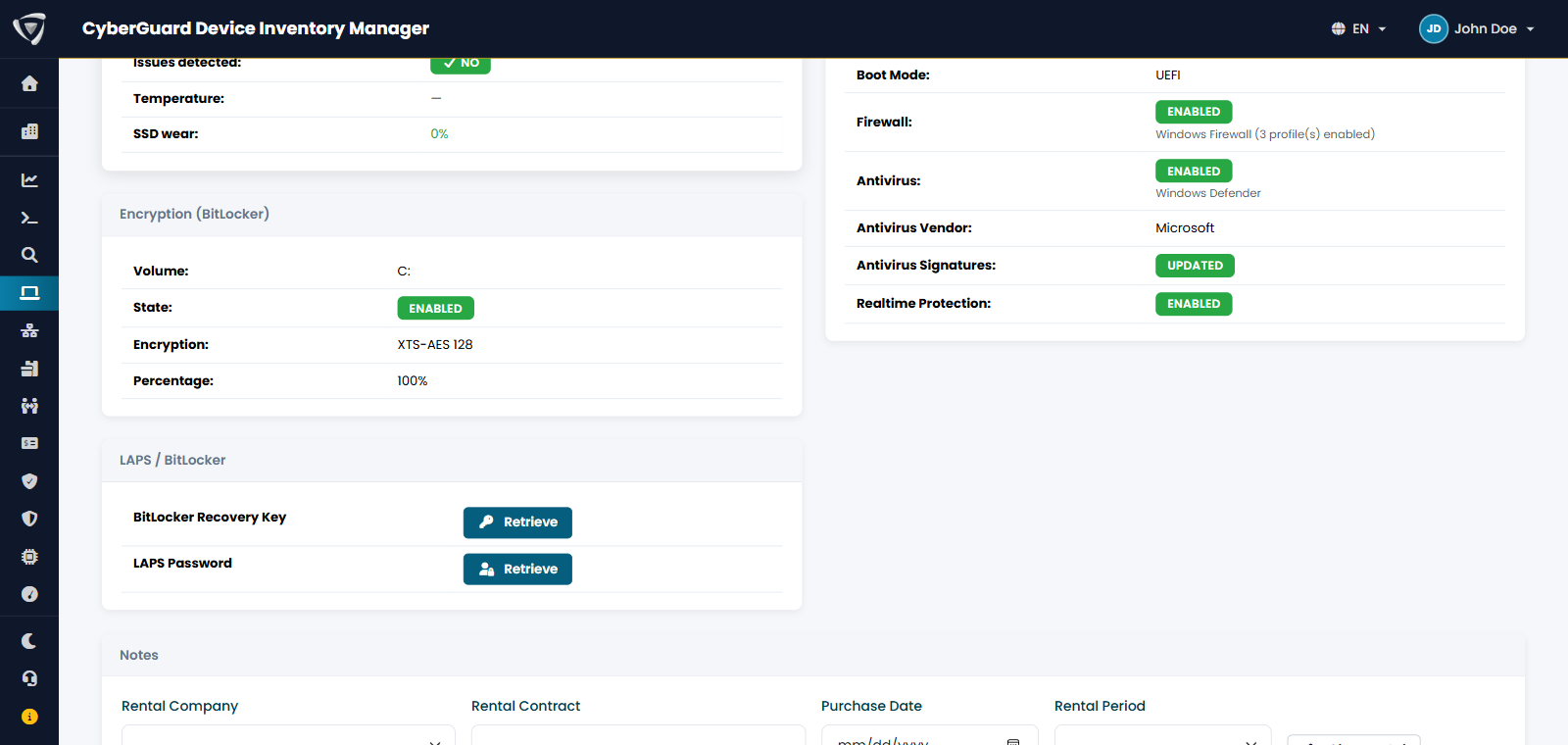
BitLocker recovery keys and LAPS passwords from the device record, visible only to users with the dedicated permission.

  • BitLocker recovery keys
  • Local administrator password (LAPS)
  • Dedicated permission and every access in the audit log

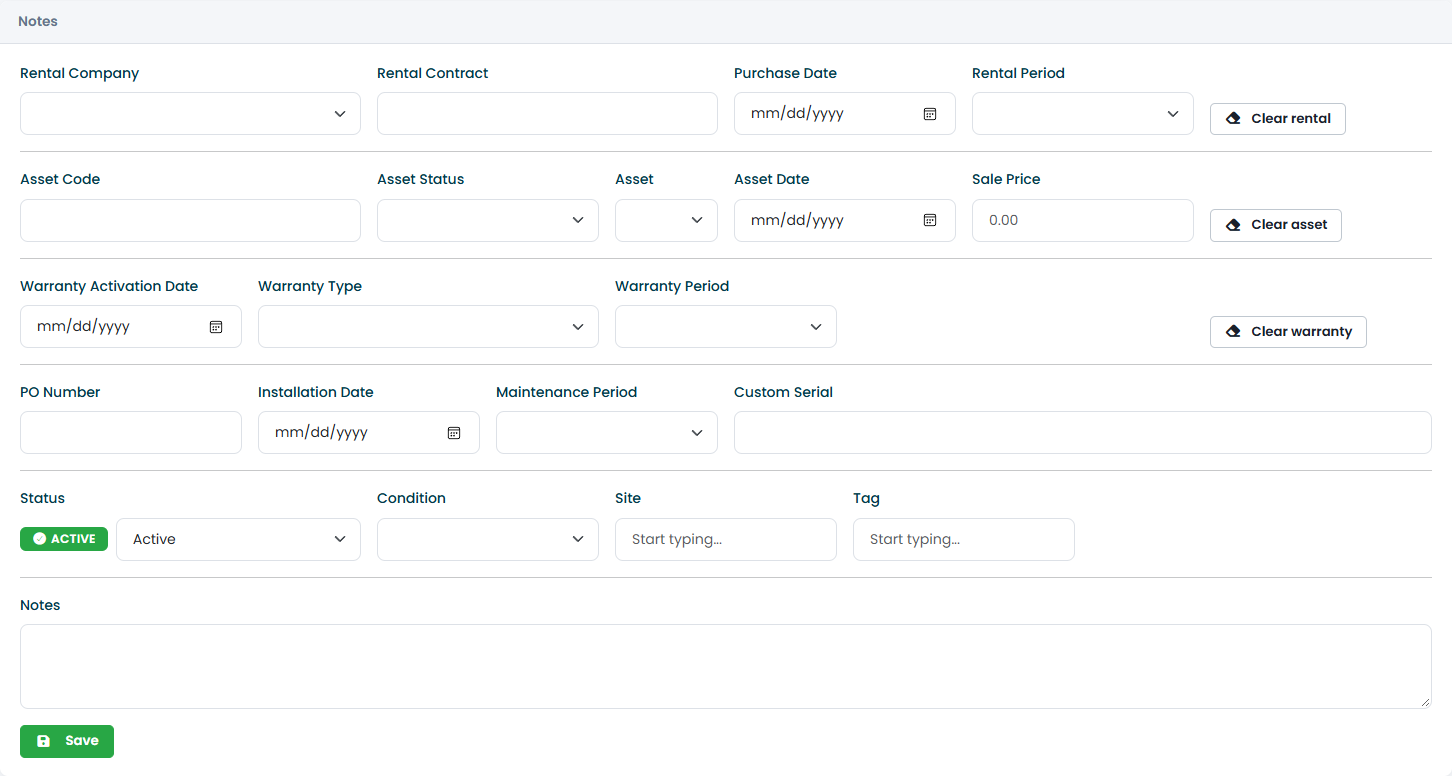
Intune doesn't know when a device was bought, who leases it or which site it's at: the IT team completes the record with status, condition, site, tags, notes, lease, fixed asset and warranty data, and attaches invoices, contracts and photos.

  • One permission for each group of fields
  • Attachments on every record
  • Device user history

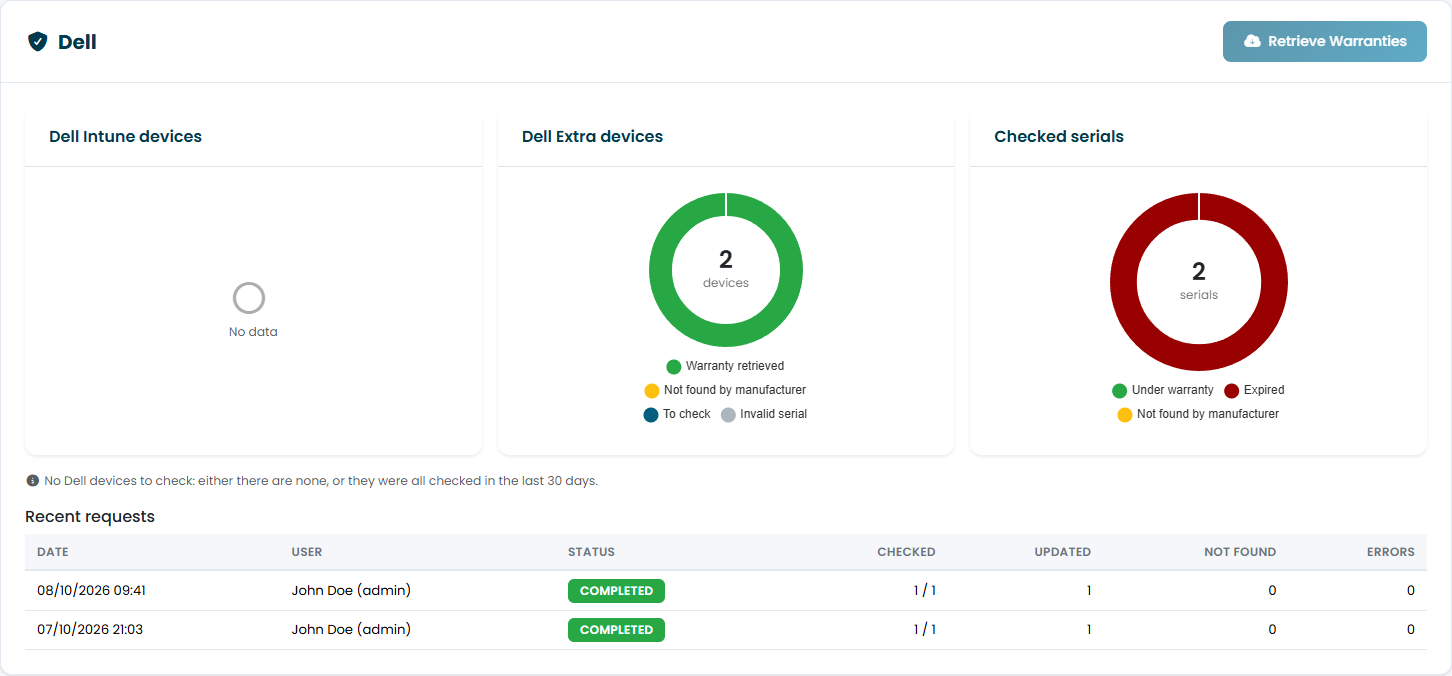
With one click the portal checks serial numbers with the manufacturer, Dell today, and records coverage start, end and type. Manufacturer data is protected from manual changes.

  • Serial number check with the manufacturer
  • Standard warranty types, the same for all manufacturers
  • Intune and extra devices in the same request

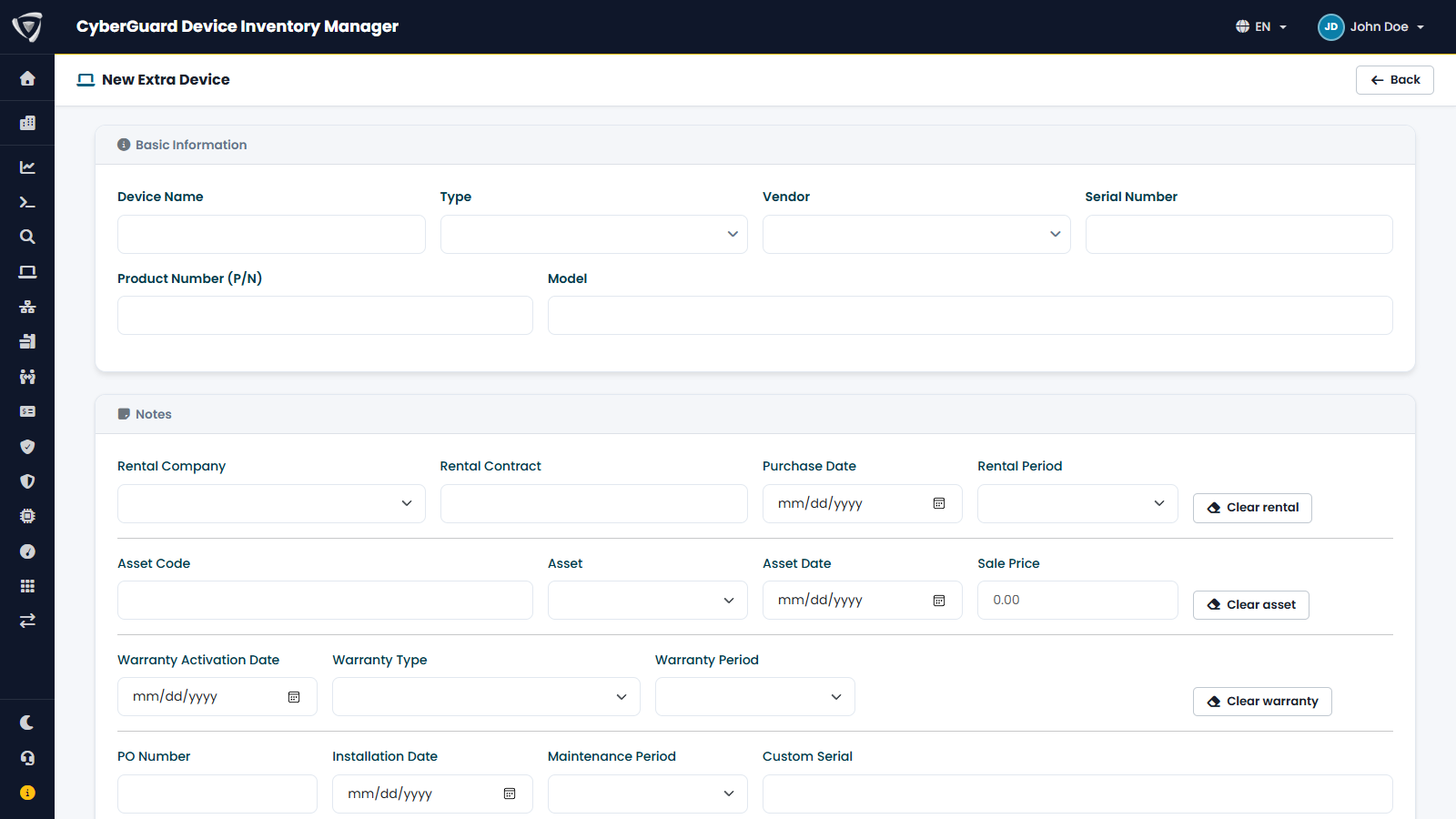
Printers, monitors, docking stations, desk phones, network devices: everything Intune doesn't manage goes into the same inventory, with warranties, assignments and product code.

  • Custom types and product code
  • Warranty, assignee and attachments, just like Intune devices
  • A device that leaves Intune becomes an extra device without losing anything

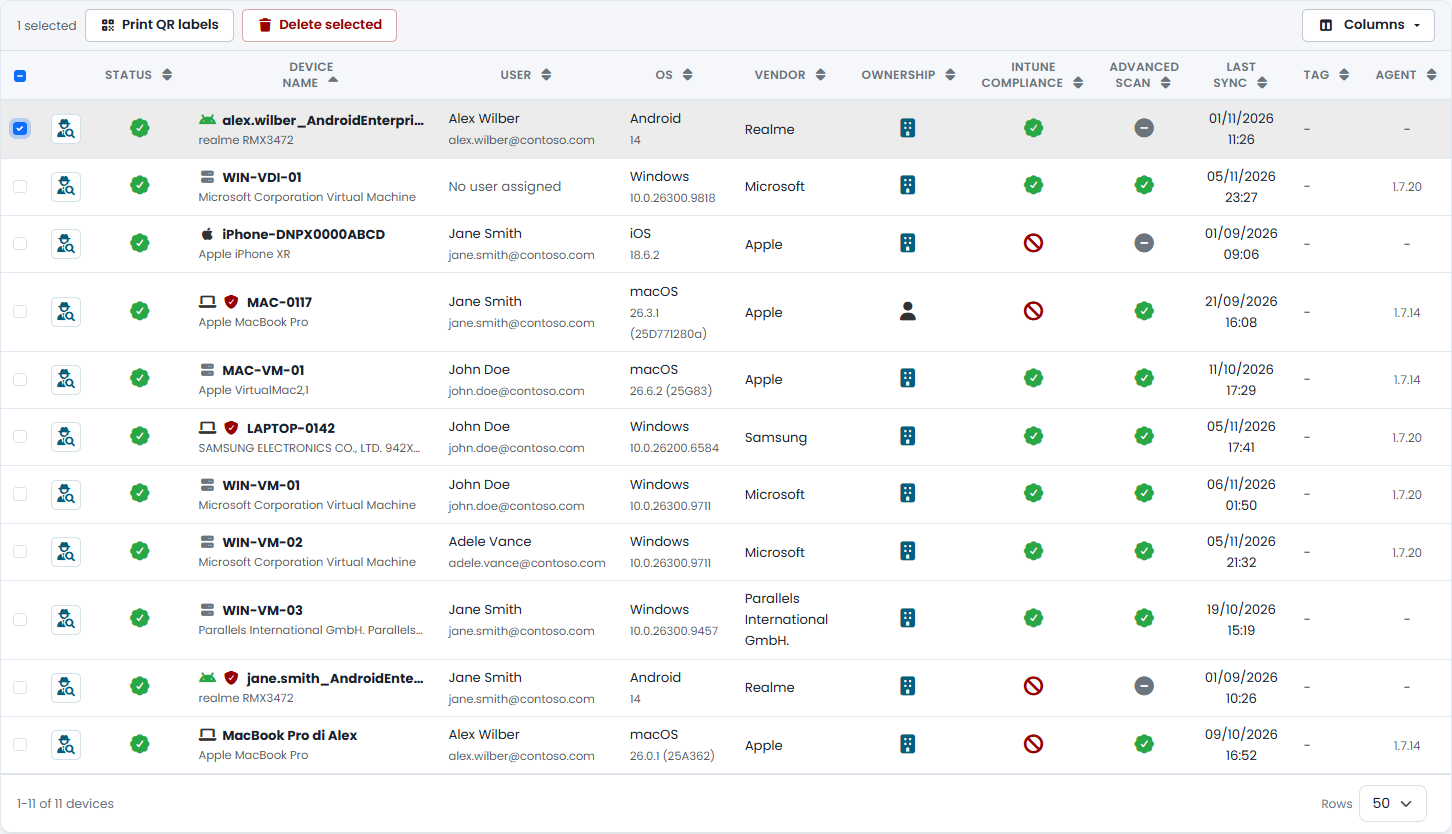
In front of a device, just scan the label with your phone to see whose it is and whether it is under warranty. Print labels one at a time or from a selection, for extra devices too. The code opens a page designed for phones, reserved for authorized users of your tenant.

  • 25 × 25 mm labels for printers such as DYMO
  • Microsoft Entra sign-in and a dedicated read permission
  • Lost a label? Revoke it right away
Device list with filters, search and configurable columns Device record with processor, memory, disk and firmware Device Updates tab with installed Windows updates Device record with BitLocker encryption on and the buttons to retrieve the BitLocker recovery key and the LAPS password Editing device record fields Dell warranty lookup with check status and recent requests Creating an extra device with type, serial number and product code Device list with one device selected and the button to print QR labels

Your device fleet at a glance

The big picture of your fleet and what's missing: statistics, device security, Windows updates, drivers, vulnerable applications and software that is paid for but rarely used.

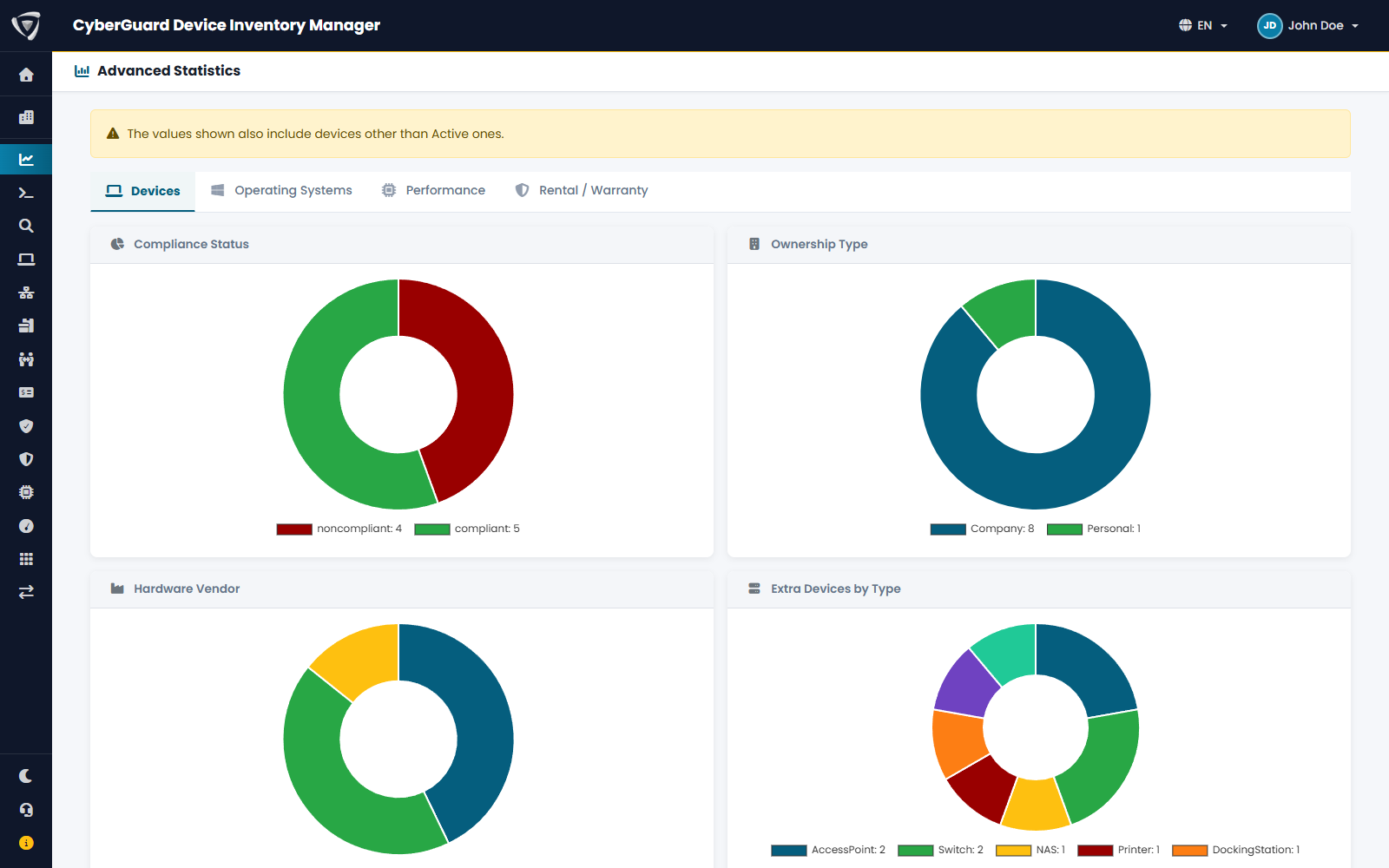
Charts on devices, operating systems, performance, leases and warranties to understand what your fleet looks like and how it's aging.

  • Corporate or personal ownership and manufacturers
  • Extra devices by type
  • Dedicated sections for performance, leases and warranties

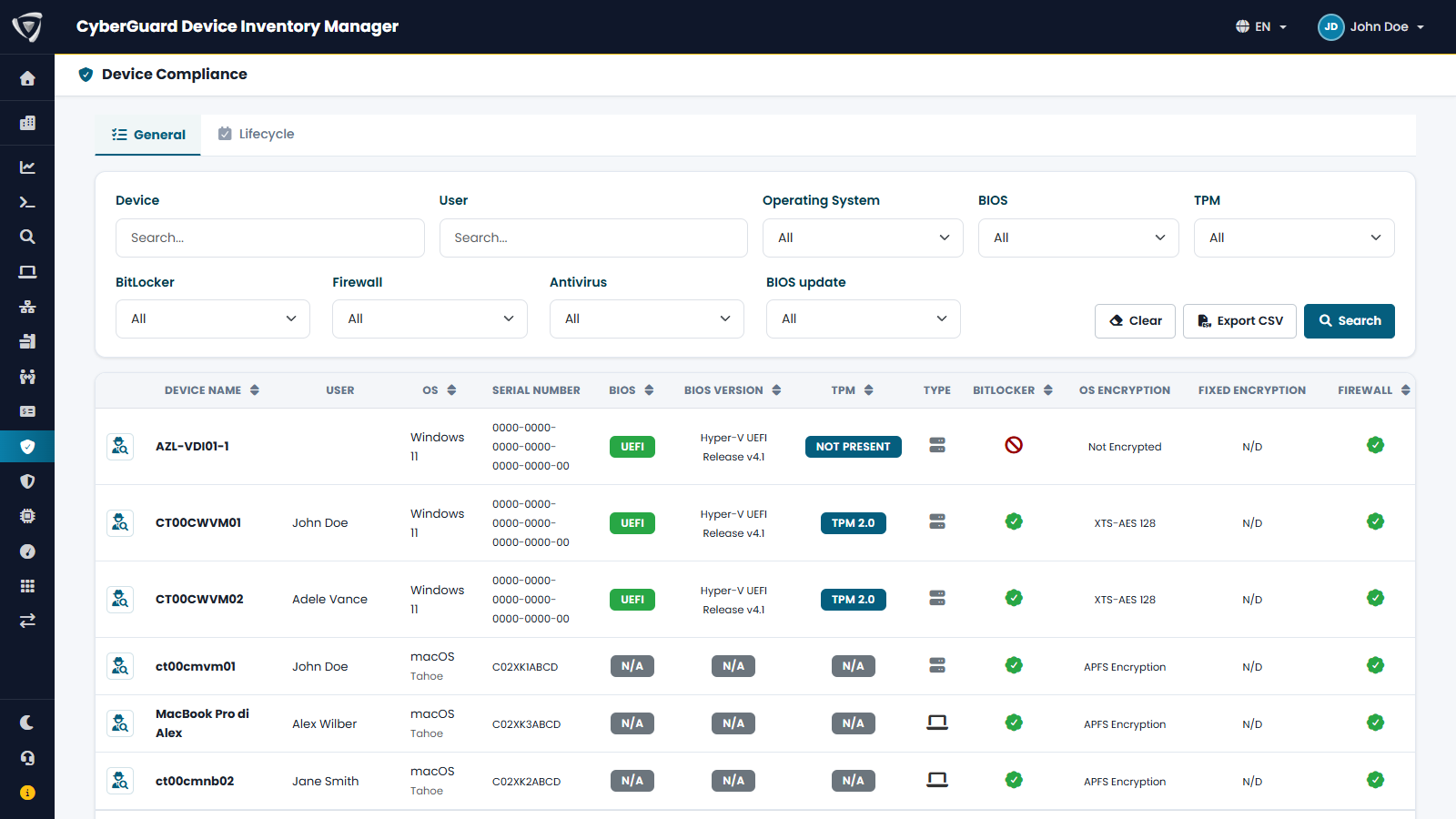
The security settings of every device in one table: UEFI boot, TPM, BitLocker, firewall, antivirus and BIOS status. To find what needs attention and prove to an auditor that the fleet is protected.

  • Filters for TPM, BitLocker, firewall and antivirus
  • BIOS up to date, needing an update or with known CVEs
  • Export for audits and periodic reviews

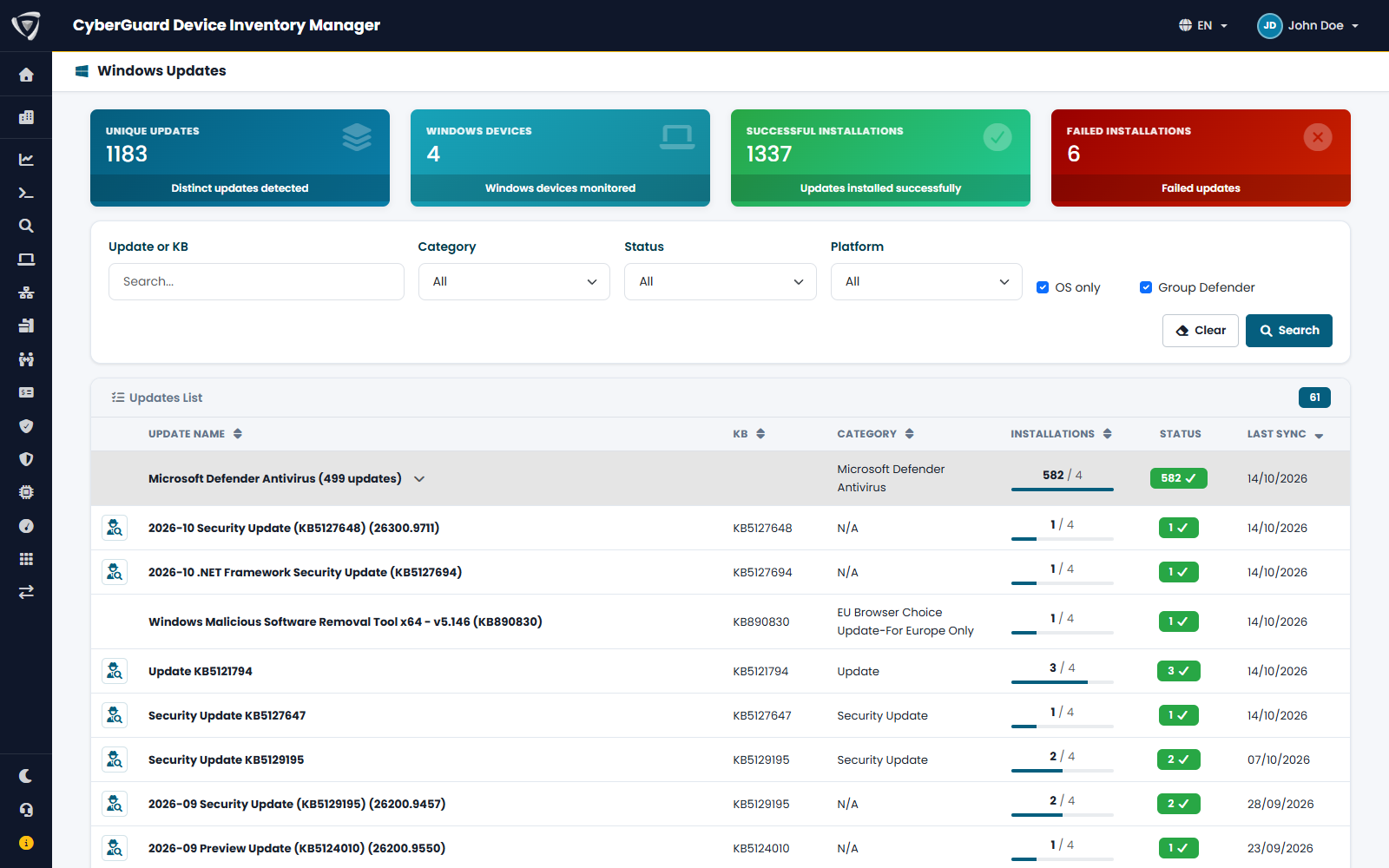
Every update installed or failed on Windows PCs and, for security updates, the vulnerabilities it fixes. The answer to the question of every Patch Tuesday: has everyone installed it?

  • Successful and failed installations
  • Vulnerabilities fixed by each update
  • Export for the patching plan

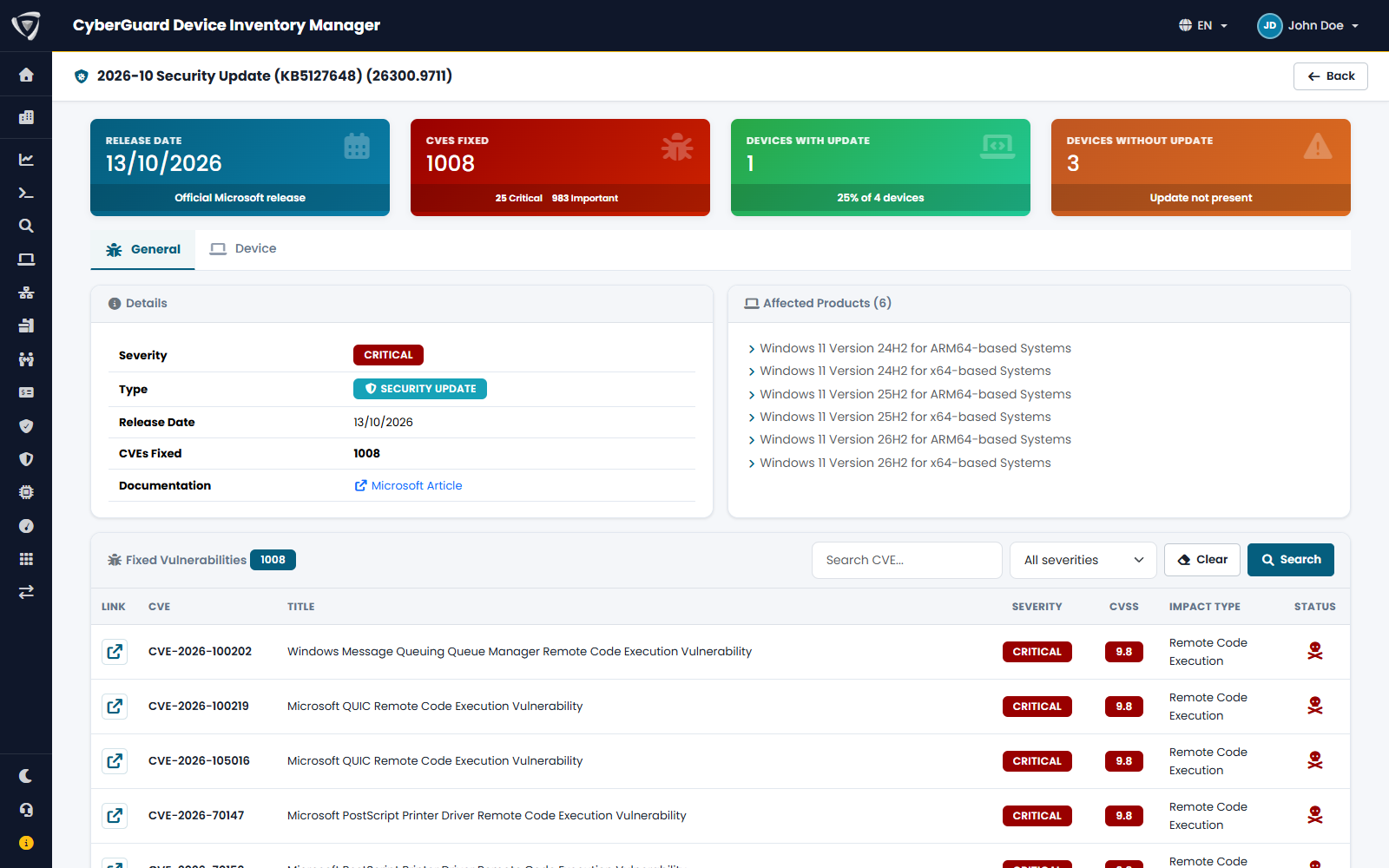
For each KB, the vulnerabilities it fixes and the devices where it is installed or failed.

  • Vulnerabilities fixed by the update
  • Devices with failed installation
  • Status per device

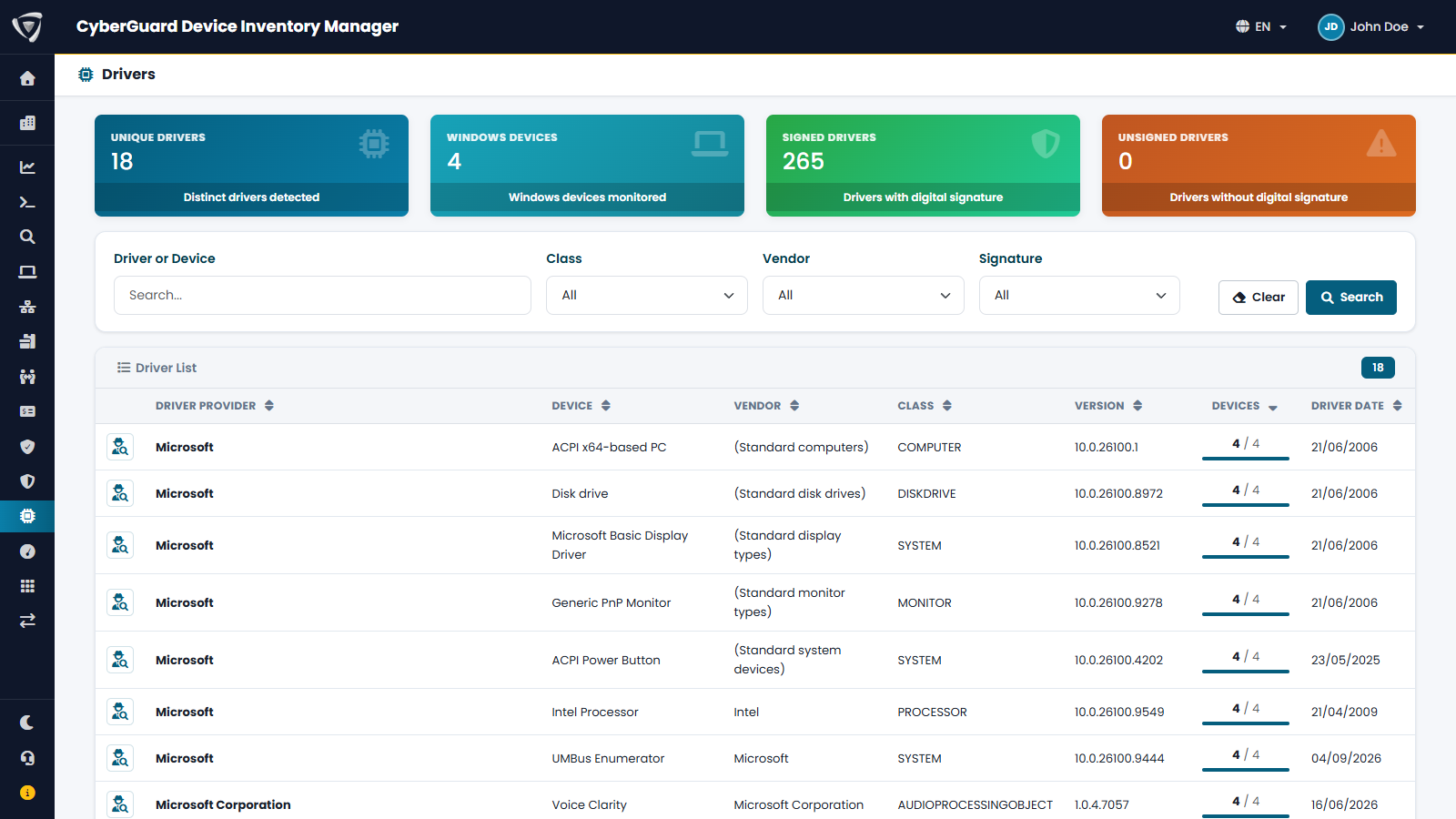
Old or unsigned drivers are a common way in. This view lists the drivers on Windows PCs with class, manufacturer, version, signature and known vulnerabilities.

  • Signed and unsigned drivers
  • Known vulnerabilities by driver
  • Devices that have each driver

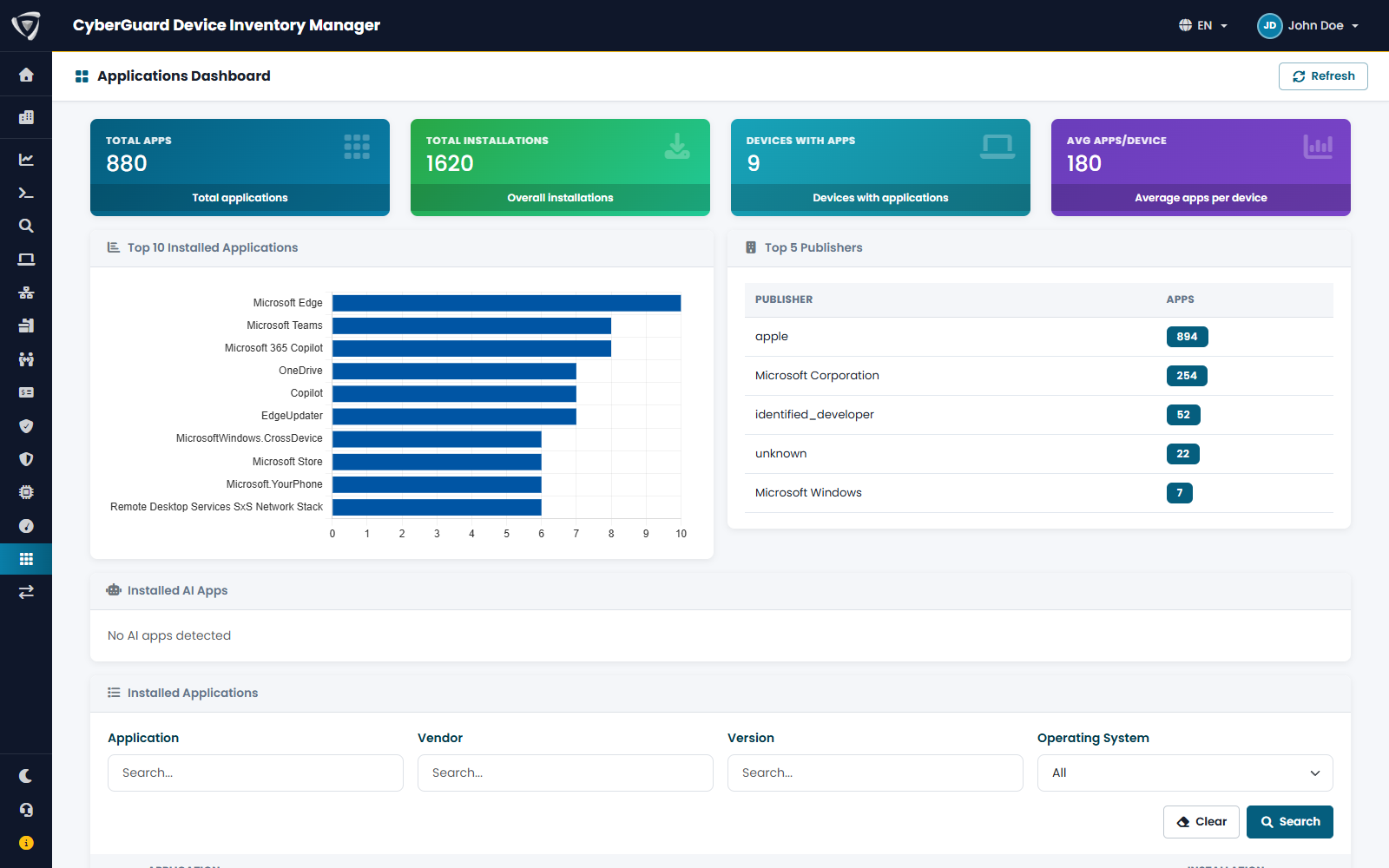
All applications on your devices, with versions and installation counts: useful for licensing, standardization and unauthorized software.

  • Most common applications and top vendors
  • Installed AI tools such as ChatGPT, Claude or Copilot
  • Which devices each application is installed on

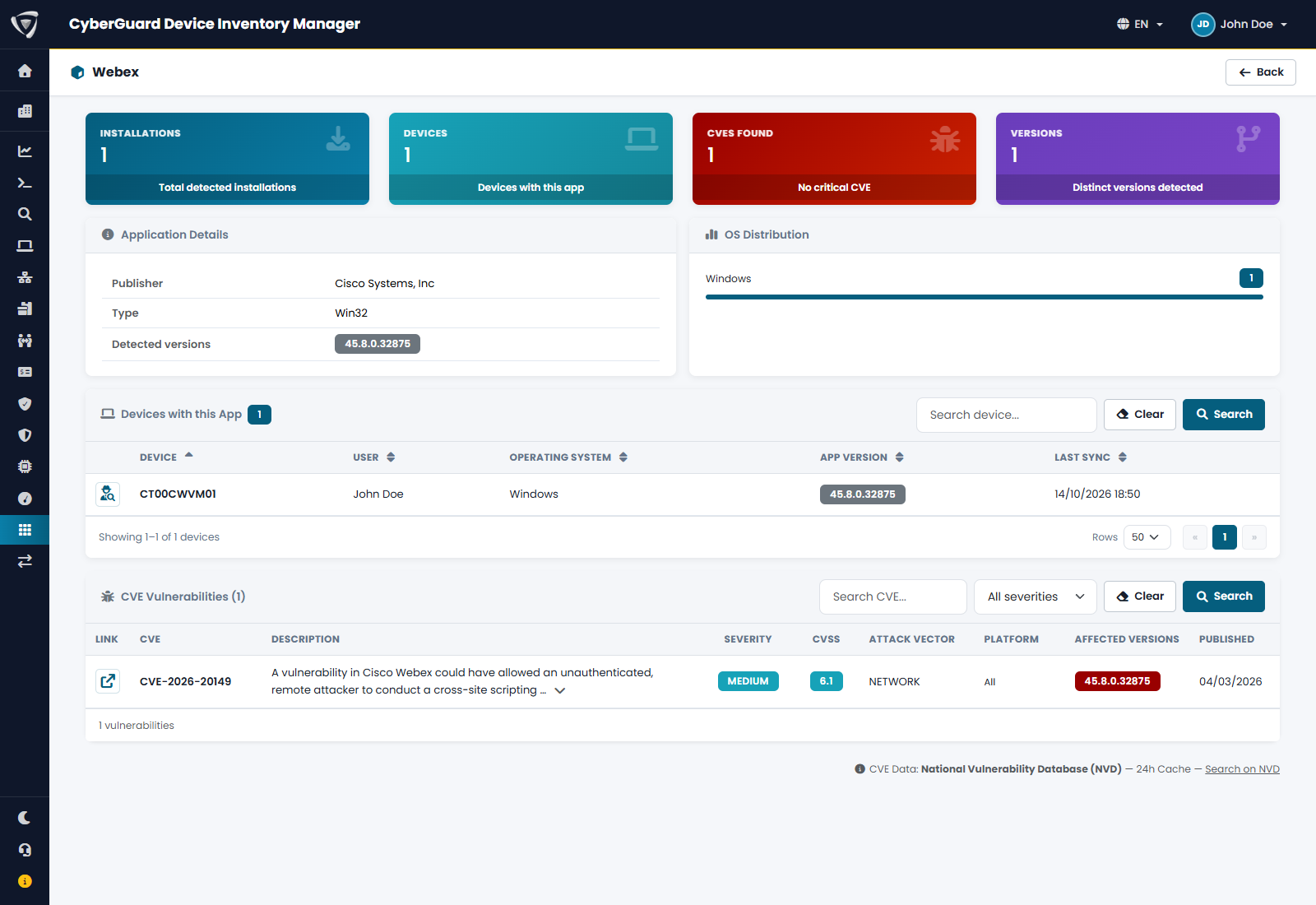
Each application's details show known vulnerabilities (CVEs) by severity and CVSS score, and highlight the versions installed in your fleet that are affected.

  • CVEs by severity with CVSS score
  • Affected versions highlighted
  • Who has the version to update

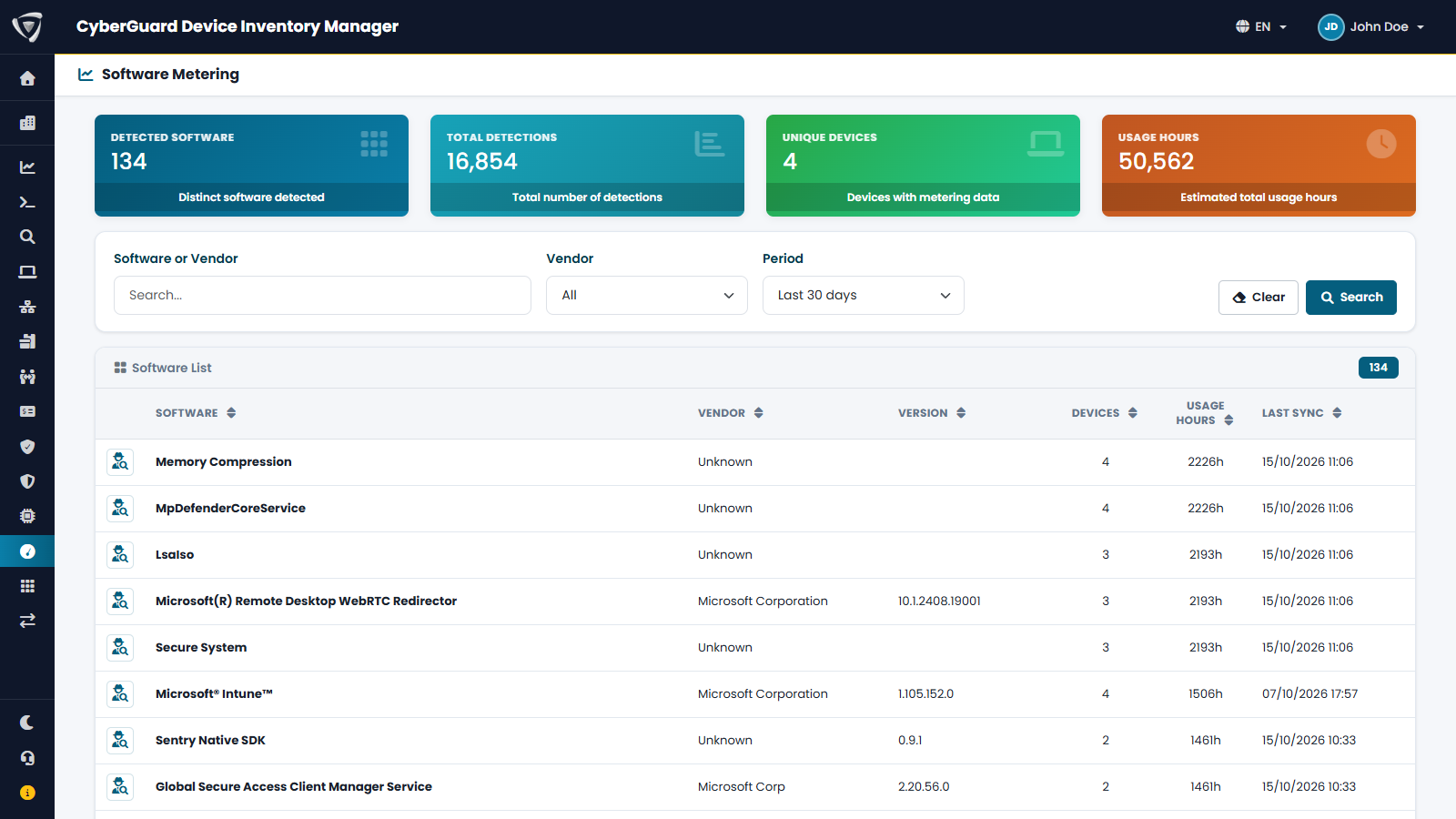
How much the programs people open are really used: realistic usage hours and devices involved over the last 30 days, to inform software license decisions.

  • Only programs opened by a person
  • Usage hours and devices involved
  • Underused licenses to reclaim
Advanced statistics with compliance status, ownership type, hardware manufacturers and extra devices by type Compliance view with boot, TPM, BitLocker, firewall, antivirus and BIOS status for each device Windows Updates view with updates installed and failed across the fleet Details of a Windows update with fixed vulnerabilities and affected devices Drivers view with signed and unsigned drivers, classes and versions List of applications installed on devices with versions and installation counts Application details with installed versions and known vulnerabilities Software Metering with program usage hours and devices involved

Warranties, leases and fixed assets without spreadsheets

Expirations, contracts and fixed assets right next to your devices: you know what is expiring, what to renew and what to buy out or return at the end of the contract.

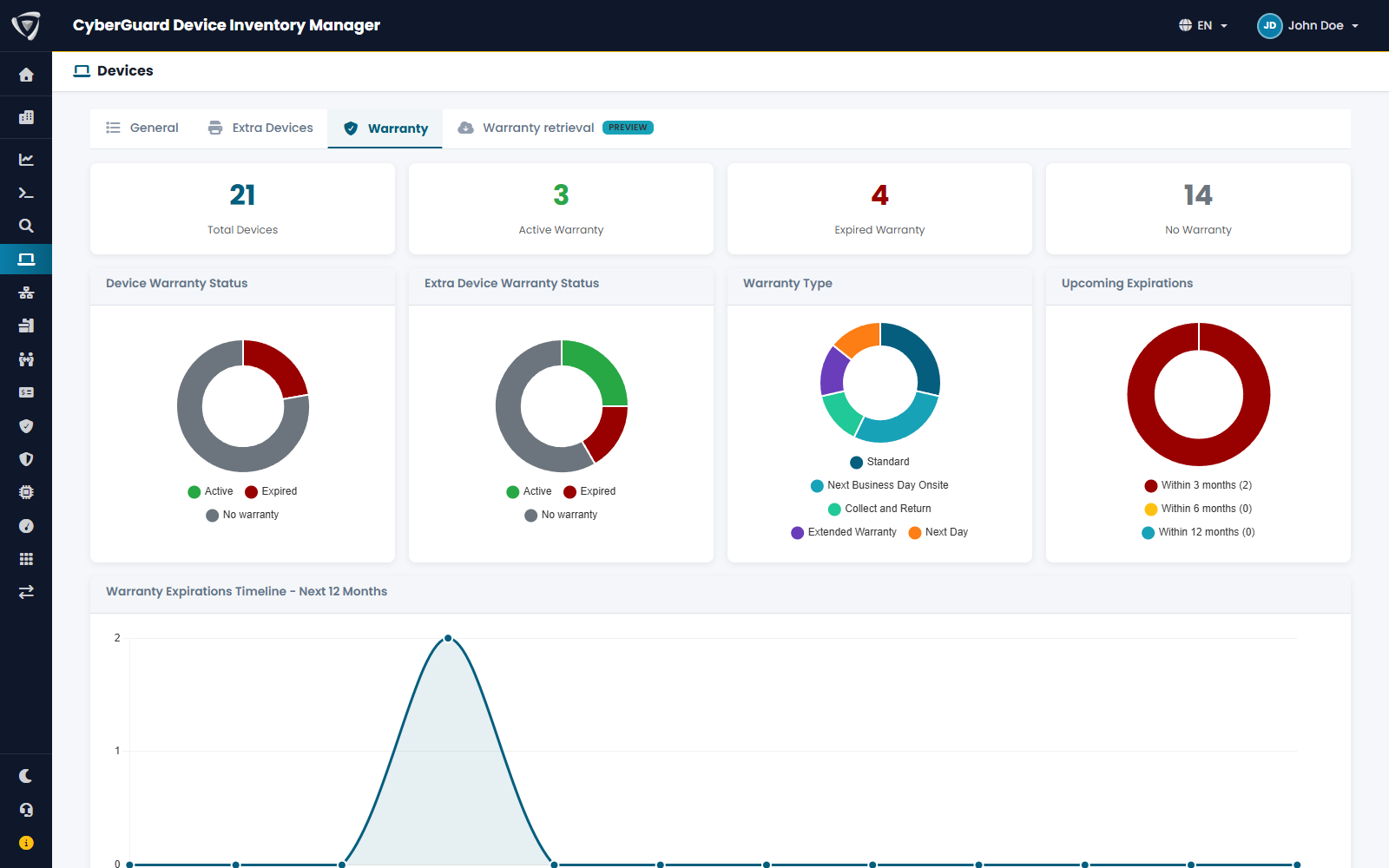
Coverage, provider, warranty start and end for each device, with upcoming expirations and email summaries.

  • Devices in warranty, expiring and expired
  • Standard warranty types
  • Email expiration summaries

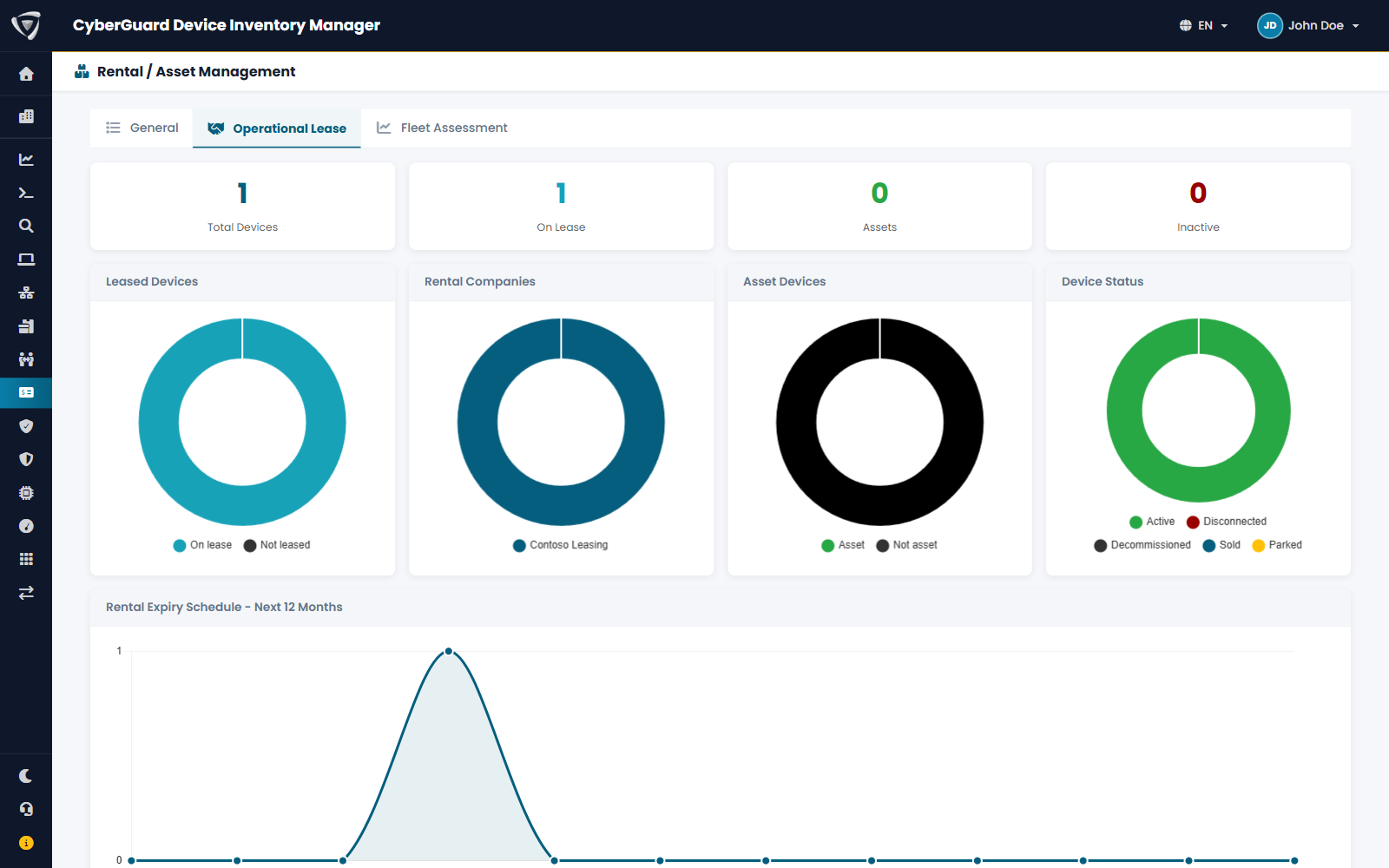
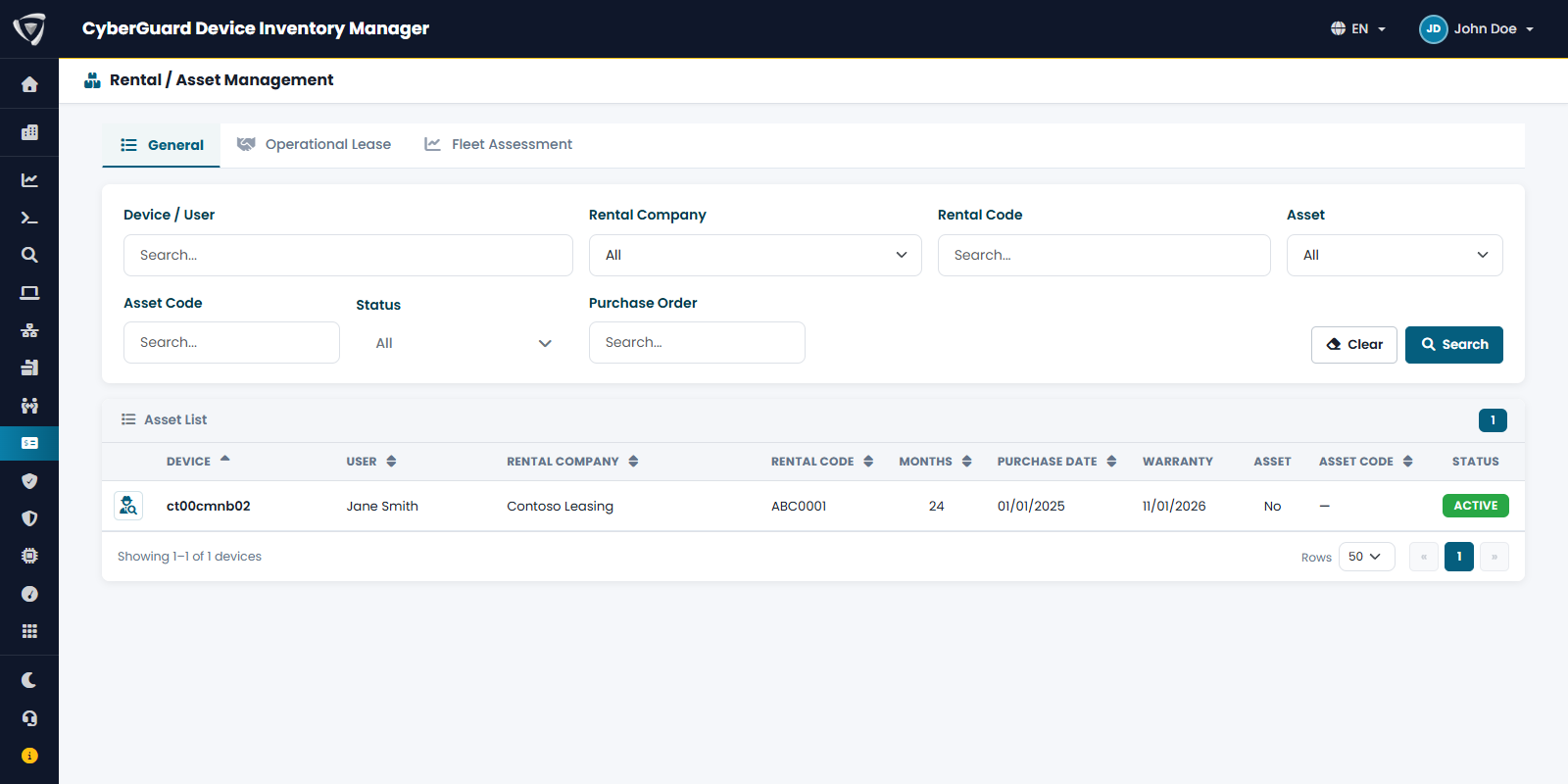
Leasing company, contract number, start date and term for each leased device, with month-by-month expirations over the next 12 months. Missing the end of a contract is costly: extra payments, penalties, rushed returns.

  • Import from the leasing company's file
  • Contract expirations over the next 12 months
  • Email expiration summaries

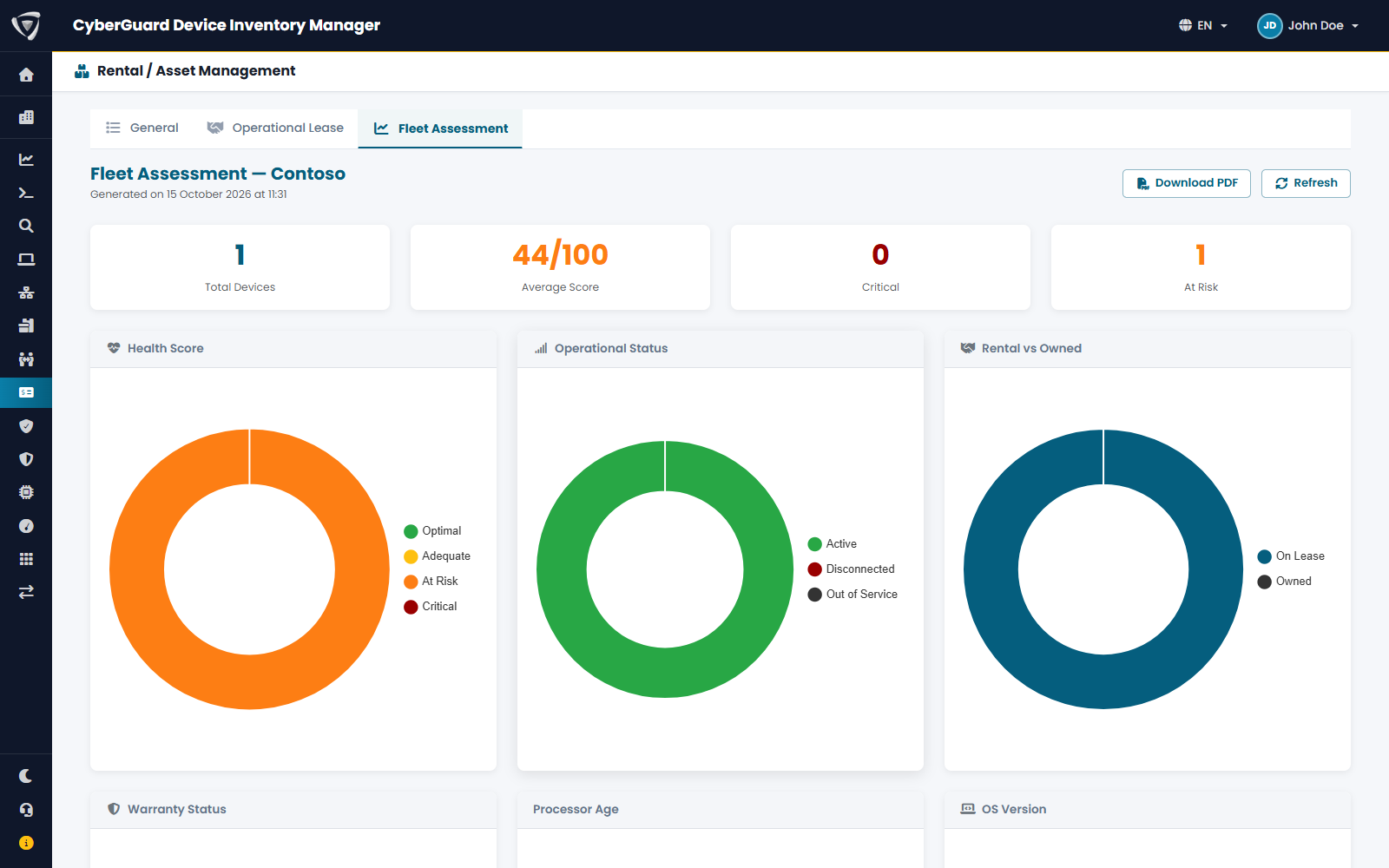
A health score from 0 to 100 for each device, leased or owned, that combines processor age, warranty, lease contract, memory and last check-in, and suggests what to do with it.

  • Critical and at-risk devices
  • Leased and owned devices compared
  • PDF reports in Italian and English

For owned devices, the asset code, registration date and status, and sale price link the inventory to the fixed asset register.

  • Asset code and date
  • Registration status, even when finance handles it
  • Dedicated permission for those who manage fixed assets
Warranties view with device coverage and expirations Operating lease view with leased devices, leasing companies, device status and contract expirations over the next 12 months Fleet Assessment with health score, operational status and comparison between leased and owned devices Fixed asset management with code, registration status and registered devices

Inventory and people, from day one to the last

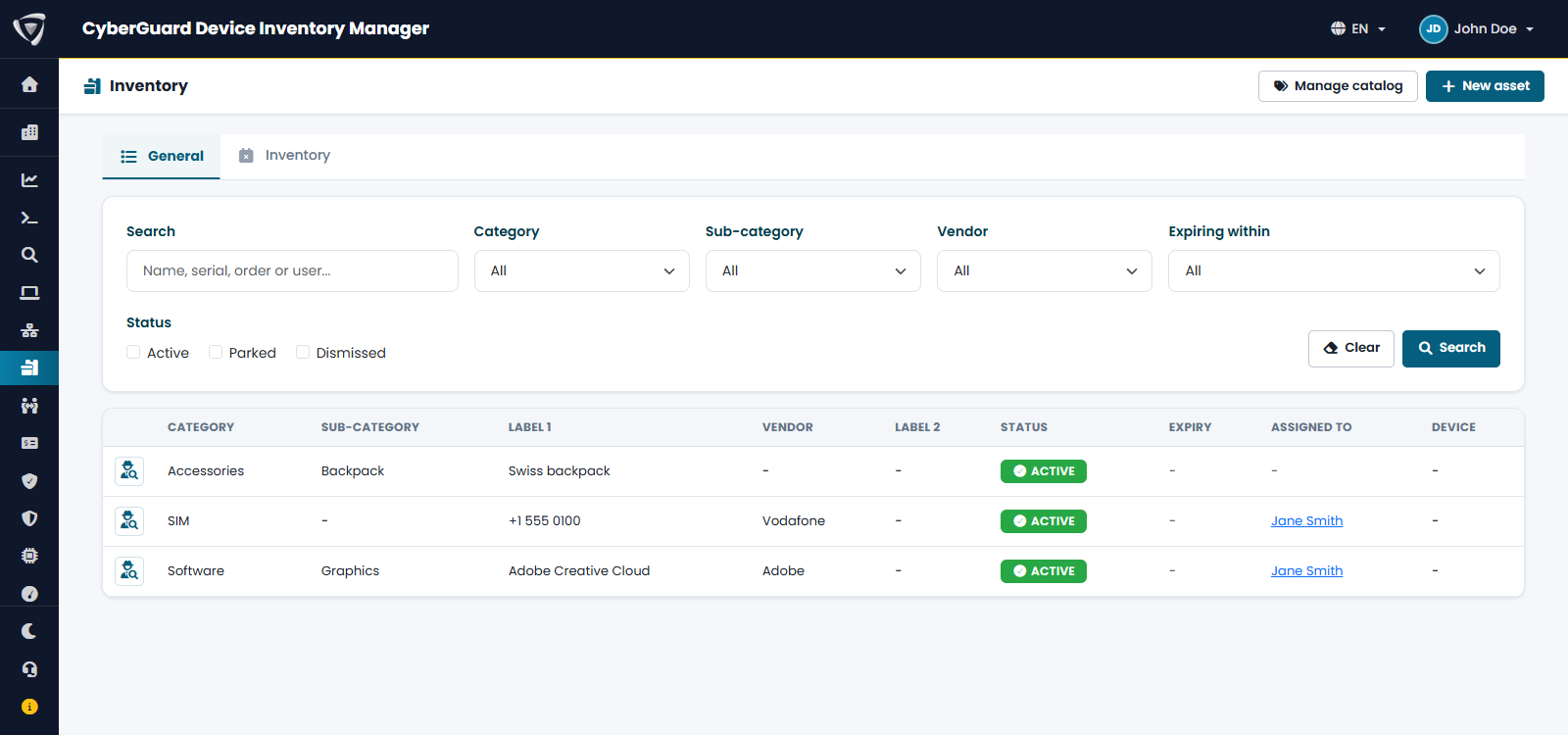
Not just hardware: software licenses, SIM cards and other assets in the same inventory, plus the processes for issuing devices to employees and getting them back.

For each employee, the devices and assets in their custody, with assignment history.

  • What each employee has in their custody
  • Assignment history
  • Link to the inventory

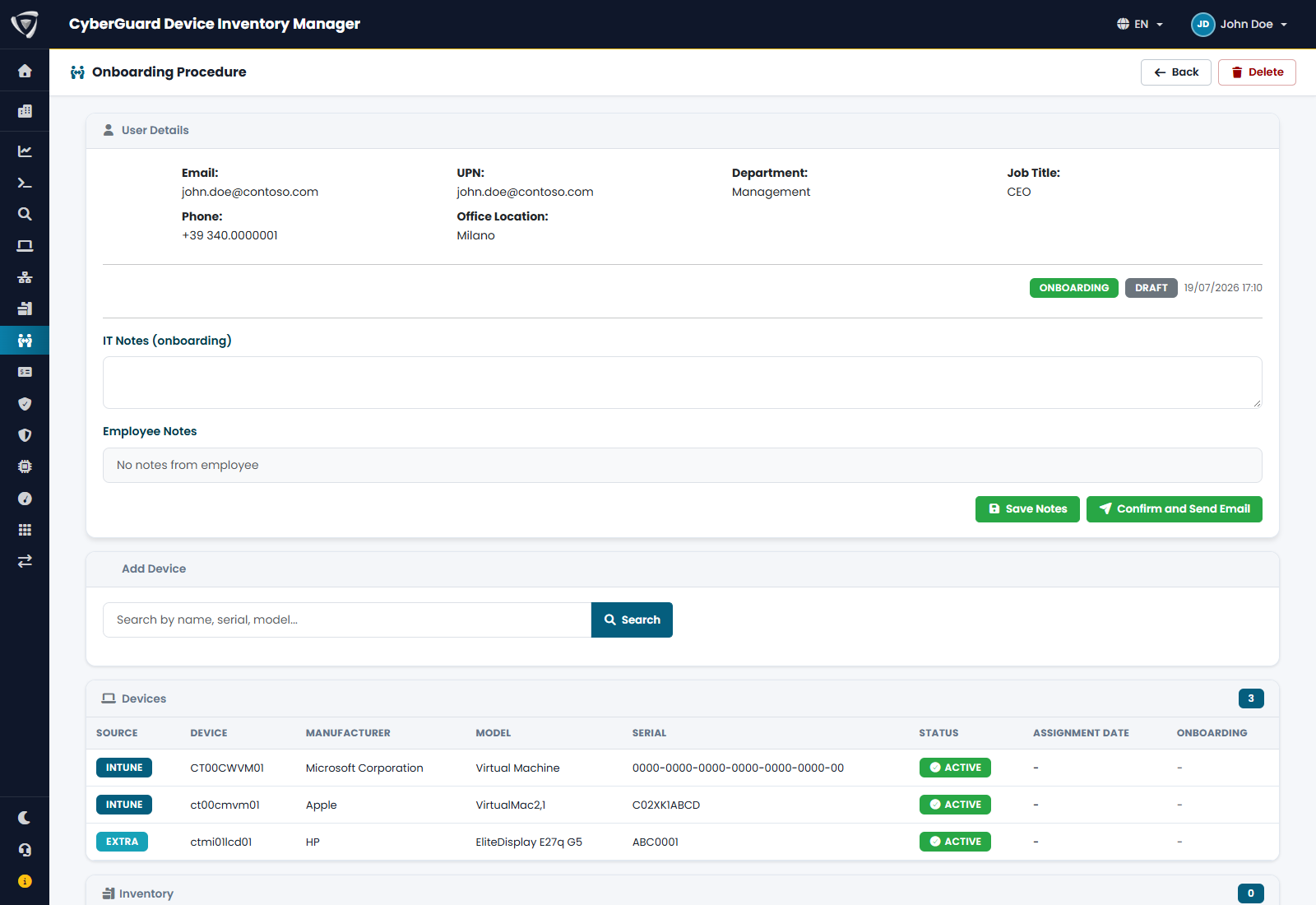
Onboarding records which devices and assets a new employee receives and asks them to confirm receipt: it is proof of delivery and the starting point for offboarding when the person leaves the company.

  • Intune devices, extra devices and inventory assets
  • Employee receipt confirmation
  • Offboarding with device condition on return

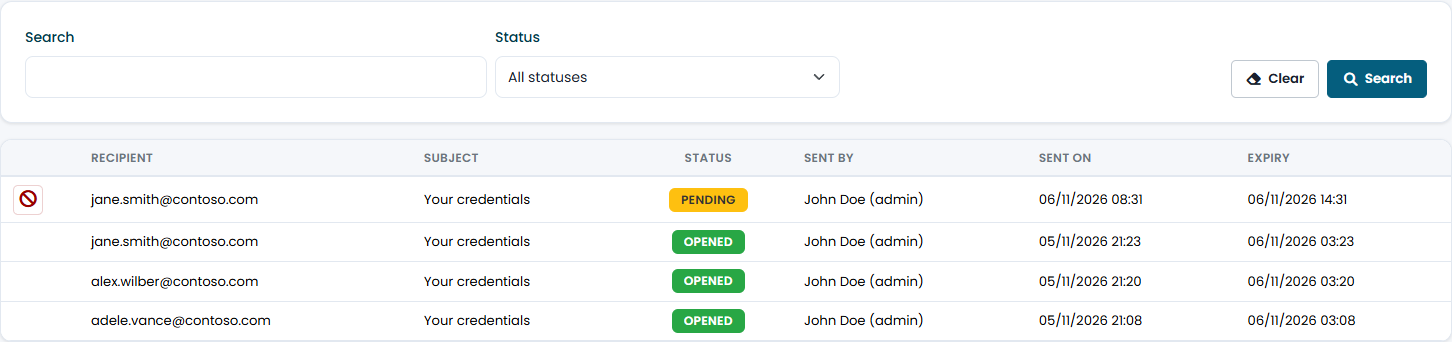
People without a company account yet receive their username and password through a one-time link that lasts 6 hours at most and opens only with a PIN that IT provides by voice. Credentials are encrypted in the sender's browser: the portal stores only the encrypted text and deletes it when the link is opened.

  • Link blocked after 3 wrong PINs
  • Credentials visible for 5 minutes, then gone from the page
  • Delivery history and revocation of unopened links

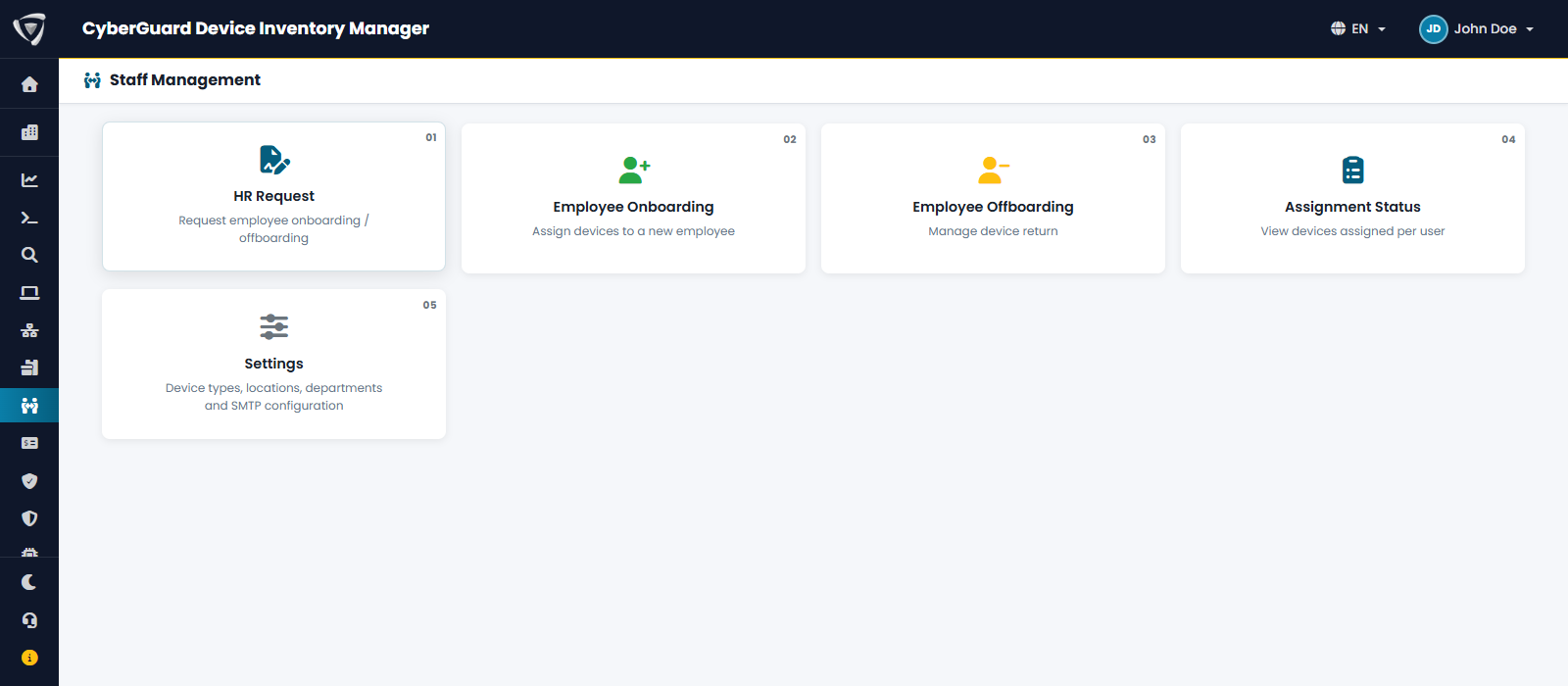
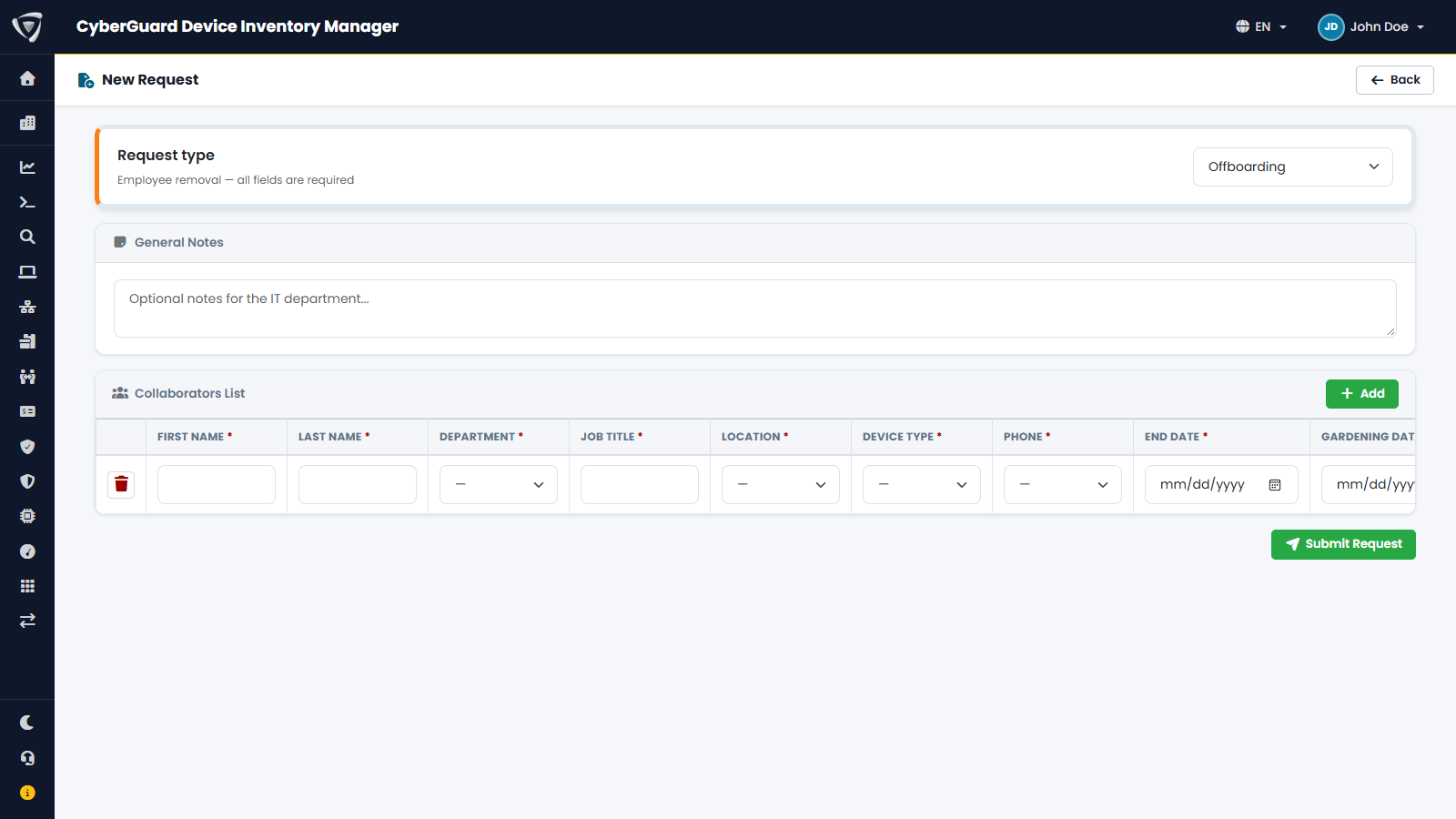
HR notifies IT of new hires and departures from the portal, with all the data needed, instead of scattered emails.

  • New hires, departures and other requests
  • Department, site, device type and dates
  • Email to IT and request status

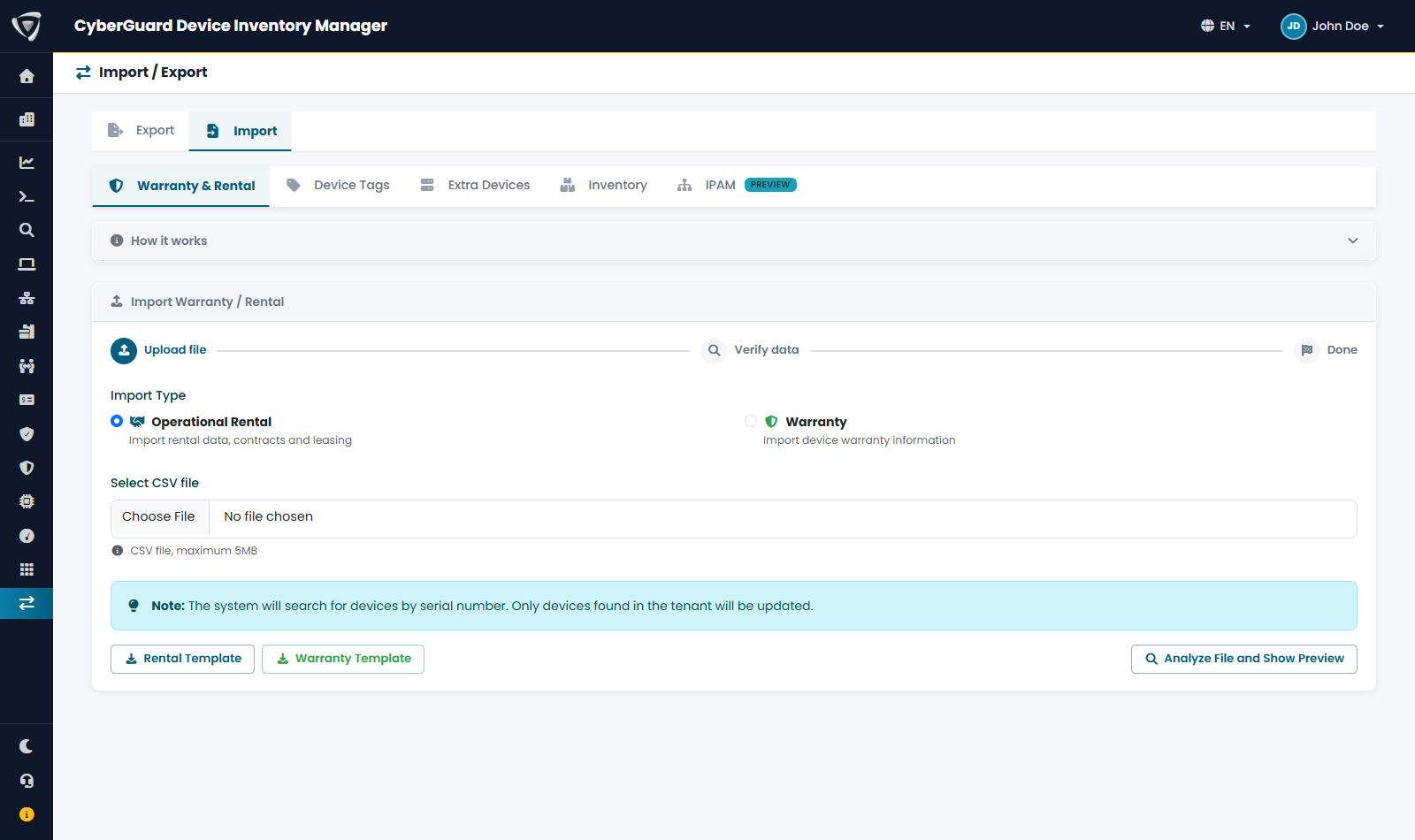
CSV import for devices, extra devices, inventory and tags, and export of all lists, including scheduled export by email.

  • CSV import with preview and validation
  • Export of every list
  • Scheduled exports in a single ZIP file
Inventory with software licenses, SIM cards and other non-hardware assets Employee management with assigned devices Onboarding details with delivered devices and status Credential Sending history with filters and the status of each delivery New HR request for an incoming employee Import section with CSV file upload

Permissions, visibility and scheduled exports

Who can view and edit what, which devices each user sees and which lists arrive automatically by email, for those who need them.

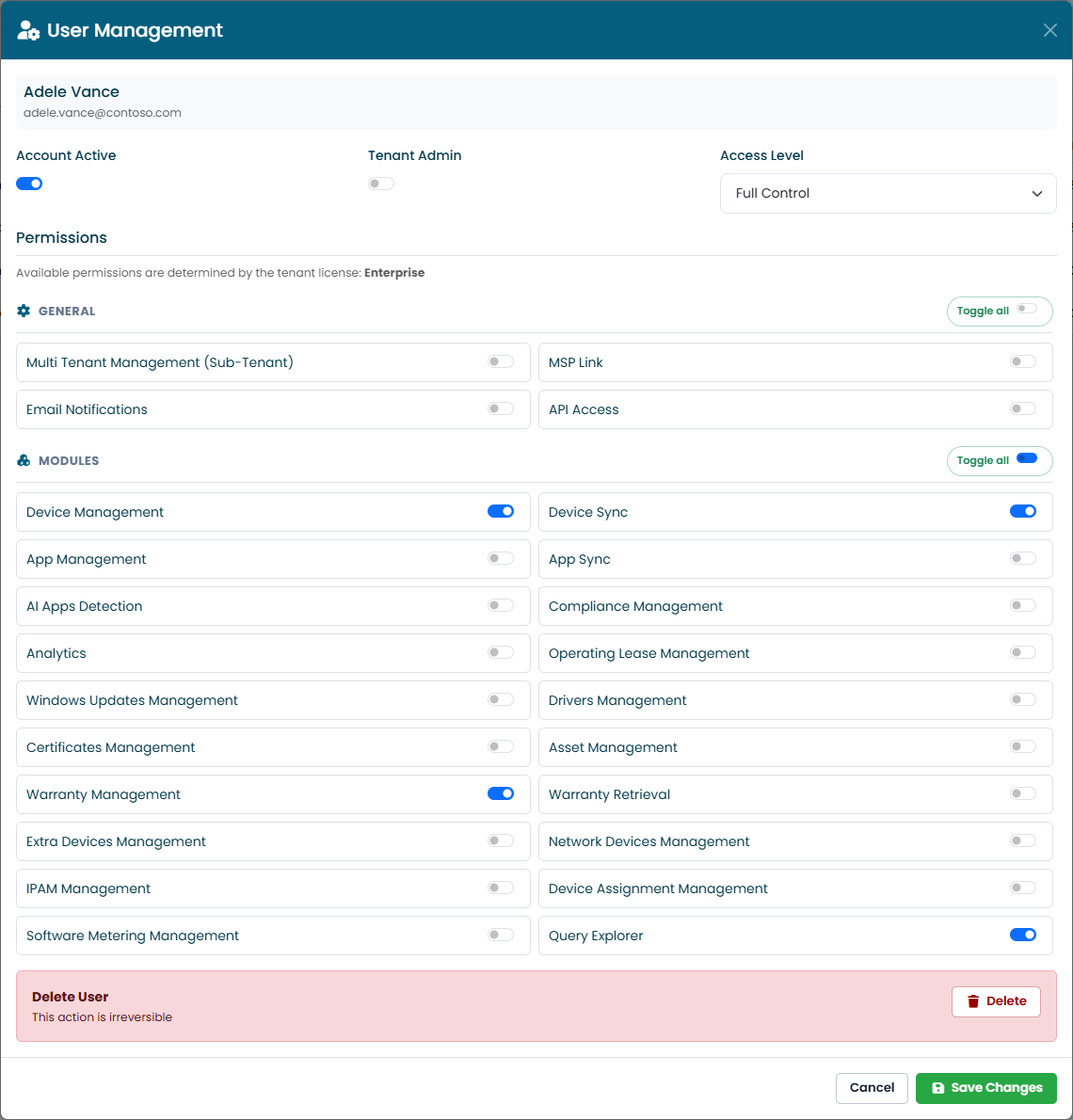
Granular permissions for each user: which sections they see, what they can edit or export, who sees BitLocker keys and LAPS passwords.

  • Permissions by section and action
  • New user approval
  • Sign-in with a Microsoft work account

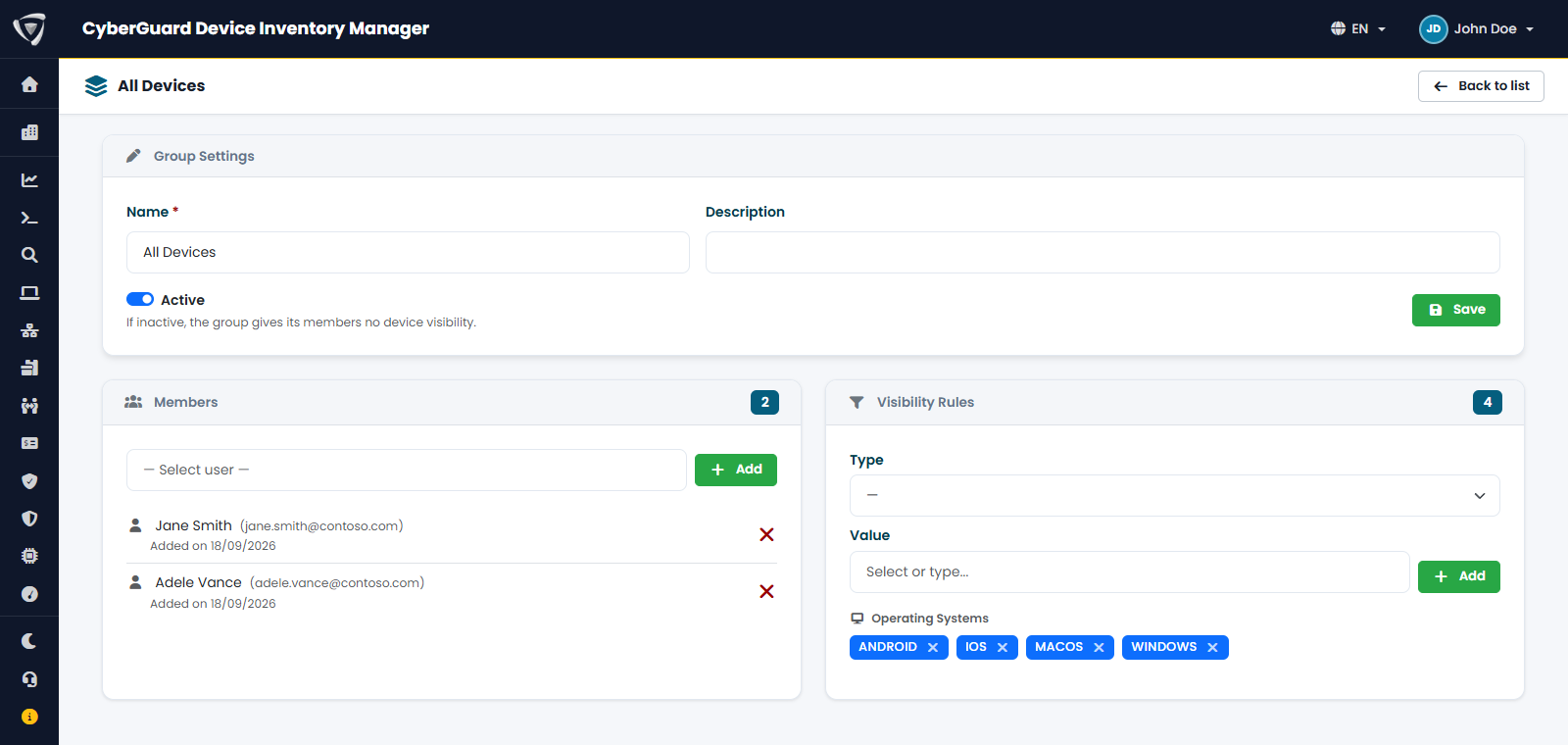
Device groups by site, department or company: each user sees only the devices within their remit.

  • Groups by site, department or company
  • Visibility limited to the group's devices
  • Same rules on lists and exports

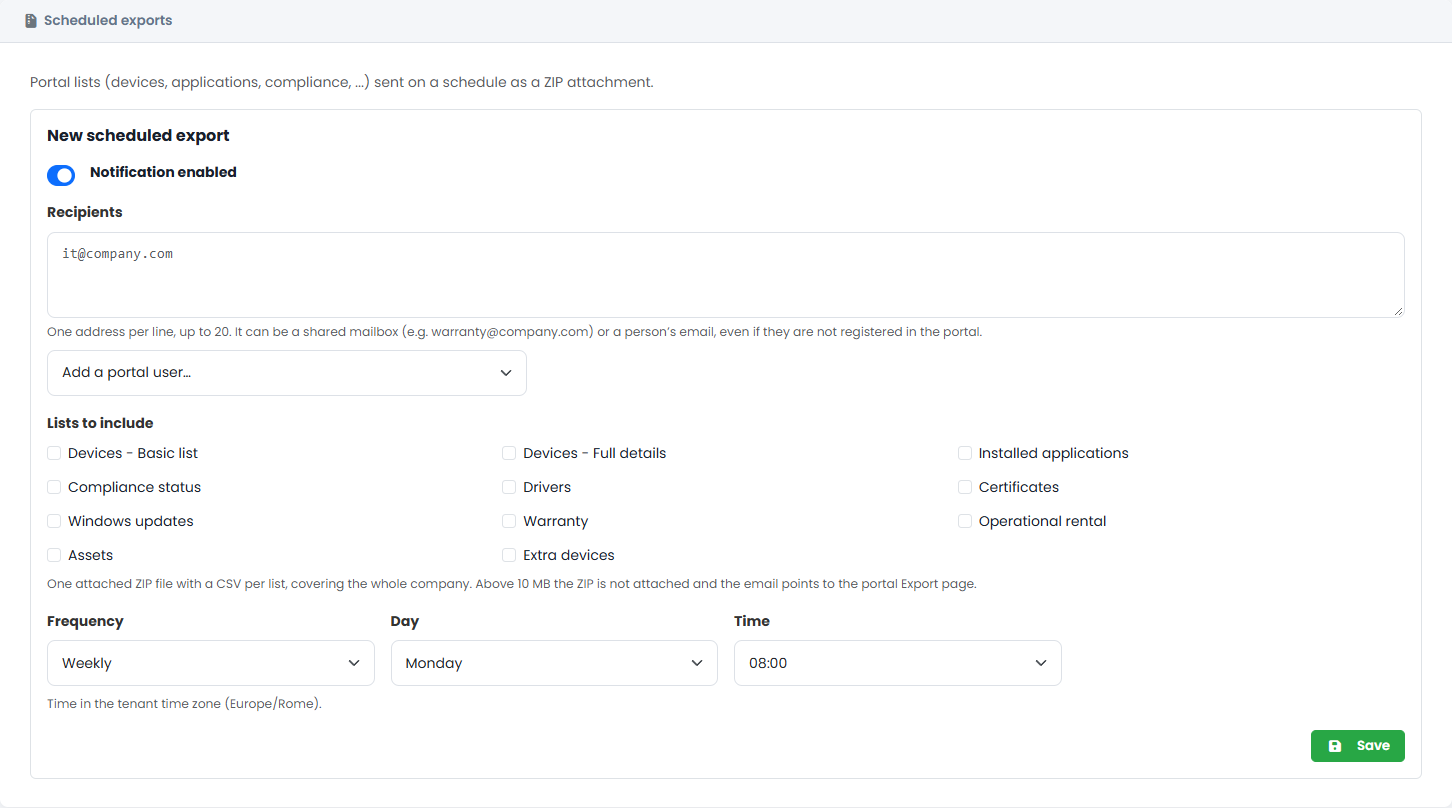
Portal lists arrive by email on a schedule, in a single ZIP file with one CSV per list: for example a weekly device list for finance and a different one for the help desk.

  • Devices, applications, compliance, drivers, certificates, updates, warranties, leases, fixed assets and extra devices
  • Frequency, day and time of your choice, in the tenant's time zone
  • Up to 20 recipients, including shared mailboxes or people who don't use the portal
User management with permissions by section and action Visibility group with assigned devices Setting up a scheduled export with recipients, lists to include, frequency, day and time

And more

Capabilities across the entire portal

IPAM

Networks, subnets, reserved ranges and VLANs in a single catalog: the addresses of PCs and network devices land in the right network automatically, with an address map, history and an alert when a network fills up.

Network devices

Switches, routers, firewalls, access points, NAS, printers and UPSs found on the corporate network, with manufacturer, model, serial number and firmware. Two sites with the same subnet stay separate.

Query Explorer

Query all inventory data with a KQL-inspired language and export the results to CSV or JSON, within the limits of the devices you can see.

Audit log

Tenant administrators see who opened a device, exported a list or changed data, including support staff and MSP partners. Filters by type, user and period, CSV export.

Plans

Choose the right plan for your needs

Annual pricing, excluding VAT.

Free

No cost

Intune devices
10, Windows only
Extra devices
0
Network devices
0
  • Device and application inventory
  • Microsoft Intune compliance
  • Extended Windows PC details

Basic

€750 / year

Intune devices
50
Extra devices
150
Network devices
0

Everything in Free, plus:

  • Extra devices
  • Editable fields
  • CSV import and export
  • Audit log

Pro

€1,500 / year

Intune devices
300
Extra devices
1,500
Network devices
300

Everything in Basic, plus:

  • Extended Mac details
  • Windows Updates
  • BitLocker and LAPS
  • Visibility by group
  • AI tool detection
  • QR labels
  • Warranty management
  • Automatic warranty lookup
  • Non-hardware inventory
  • Network devices
  • Query Explorer
  • Notifications and scheduled exports
  • MSP partner access

Advanced

€2,500 / year

Intune devices
3,000
Extra devices
Unlimited
Network devices
1,500

Everything in Pro, plus:

  • Drivers and certificates
  • Software Metering
  • Operating lease and Fleet Assessment
  • Fixed asset management
  • Employees, onboarding and offboarding
  • HR requests
  • Credential Sending
  • IPAM
  • Advanced statistics

Enterprise

On request

Intune devices
On request
Extra devices
On request
Network devices
On request

Everything in Advanced, plus:

  • Multiple tenants in one portal

MSP

On request

Intune devices
On request
Extra devices
On request
Network devices
On request

Everything in Advanced, plus:

  • Multiple tenants in one portal
  • MSP customer management
  • Credential Sending
  • MSP partner access
Add-on

API

Read-only REST API to bring inventory data into Power BI, SIEM and other business systems.

Paid add-on, a tailored solution enabled on request per customer on the Advanced, Enterprise and MSP plans.

Frequently asked questions

Frequently asked questions

Where is the data stored?

On Microsoft Azure, in data centers in Italy (Italy North region). Data is not shared with third parties and is always encrypted in transit.

Which operating systems are supported?

All devices managed by Microsoft Intune: Windows, macOS, iOS and Android. Extended details (hardware, updates, drivers, software usage) are available for Windows and macOS. The Free plan covers Windows devices only.

Can I inventory devices that aren't in Intune?

Yes: printers, monitors, docking stations, phones and any other asset can be added as extra devices, manually or from a CSV file, with warranties, assignments and attachments.

How does the warranty lookup work?

With one click the portal checks serial numbers with the manufacturer and records the dates and coverage type. It is available today for Dell devices; for other manufacturers, warranties are entered manually or from a CSV file.

Does it also support servers?

The solution is designed for business endpoints; server management is not included.

Ready to transform how you manage your devices?

Request a guided demo or talk to our team.